Helicon
S10/S40 Spiral Cartridges Installation Guide 9
S10: Integrity Testing, continued
5. Wait 5 minutes, to purge residual water from the permeate line.
NOTE: Do not exceed the recommended gas pressure, which would
displace water from the pores of the wetted cartridge, resulting in
excessively high gas flow. (If this occurs, rewet the membrane, using
the flushing procedure described previously.)
6. Measure and record the gas pressure and temperature and the gas flow rate
exiting the permeate line.
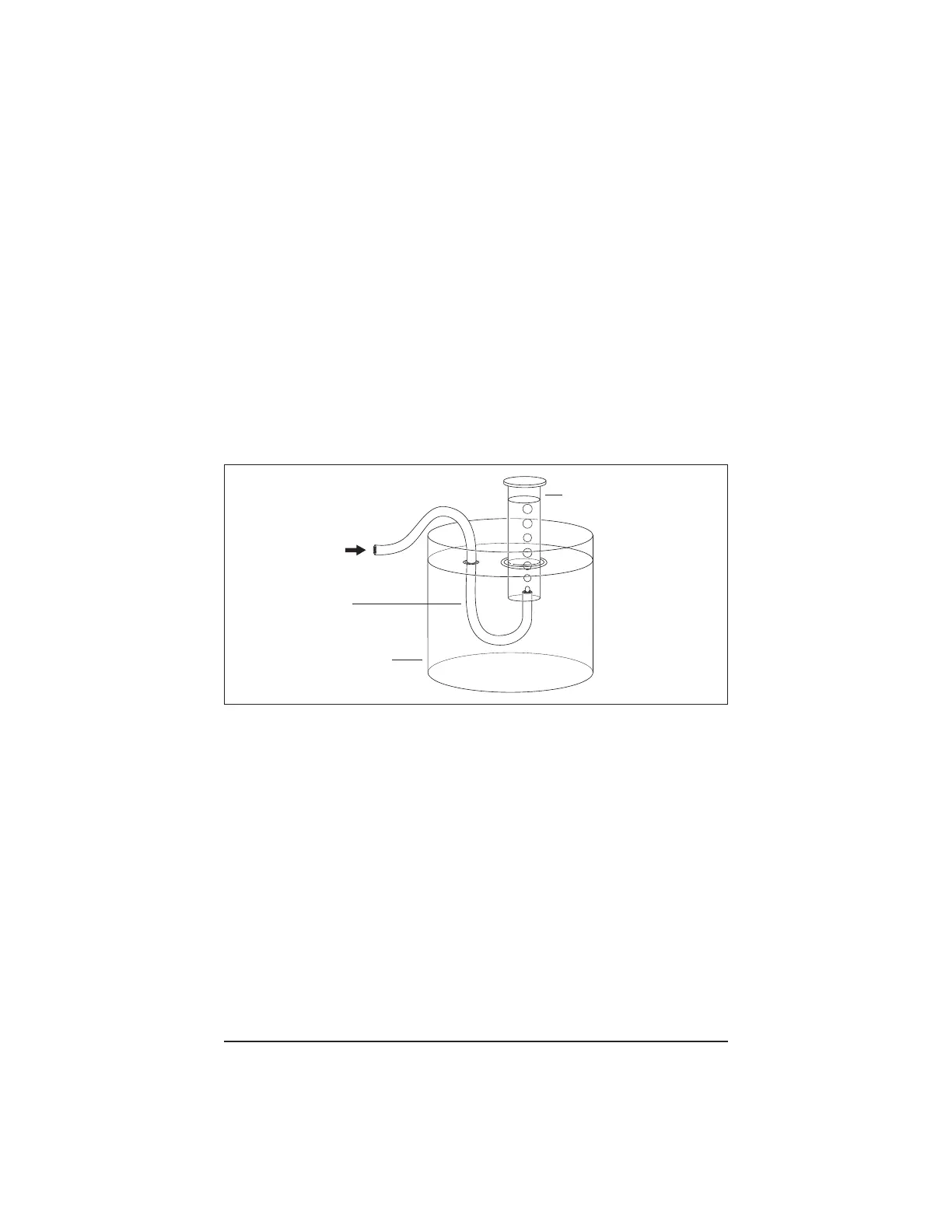
The gas flow rate may be measured with a gas flow meter. Alternatively, it
may be determined by measuring the displacement of water by gas flow (in a
submerged and inverted volumetric cylinder) during a known period of time.
This method is shown in Figure 3.
Figure 3. Measurement of Gas during Integrity Testing
7. Compare the measured gas flow rate to the flow rate specified in Table 1, for
your cartridge type.
8. If the measured gas flow rate exceeds the specified gas flow rate:
a. Disconnect the housing from the process line.
b. Remove the headers and examine the condition of all O-ring seals.
c. Replace any suspect O-rings, rewet the cartridge thoroughly and repeat
the test.
d. If the gas flow rate remains in excess of the specified value, contact
Millipore Technical Service for assistance.
If the measured gas flow rate does not exceed the specified gas flow rate, the
cartridge passes the test. Reconnect the process line to the cartridge and resume
operation.
Gas flow from
permeate port
Vessel, partially
filled with water
Tubing
Volumetric cylinder,
submerged and
inverted




 To Next Page