40
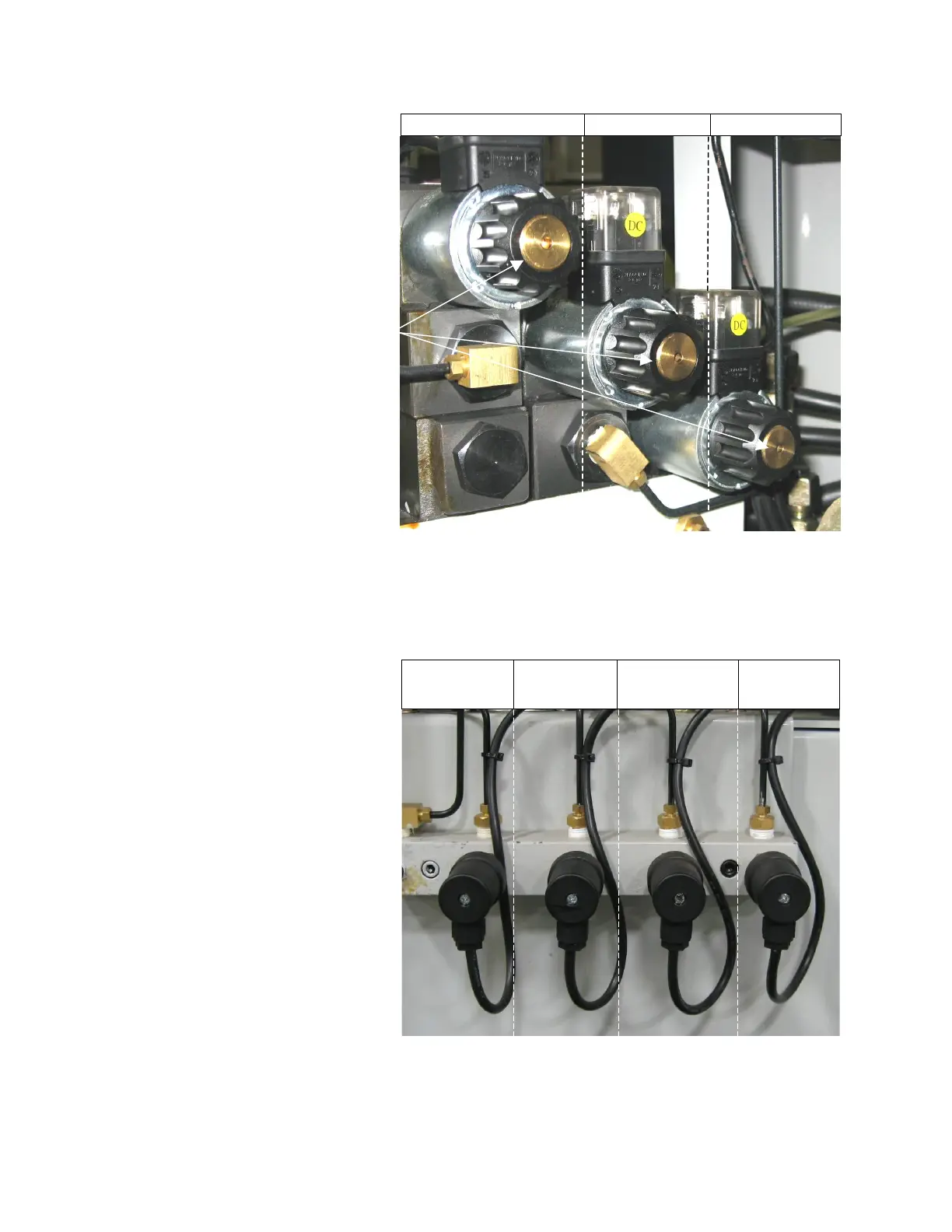
Manual Actuator Buttons
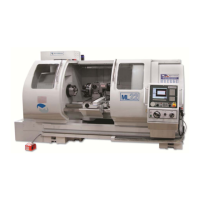
Hydraulic Pressure Switches
Hydraulic Pressure Switches
Tailstock Chuck OD
clamp
Chuck OD
unclamp
Parts
catcher
The pressure switches are
factory set to trip just below the
factory set pressure of 200 psi.
Whenever the valve pressure is
adjusted, the pressure switches
should be adjusted accordingly.
The trip level can be adjusted by
removing the Phillips head
screw to access the adjustment
screw. CW increases level and
CCW decreases trip level.
Use these buttons along with
those on the preceding page
to actuate the hydraulic
valves manually.
Tailstock Chuck Parts Catcher
Manual
actuators


 To Next Page