Mimo Monitors
info@mimomonitors.com
Sales: 1-855-YES-MIMO (937-6466)
12
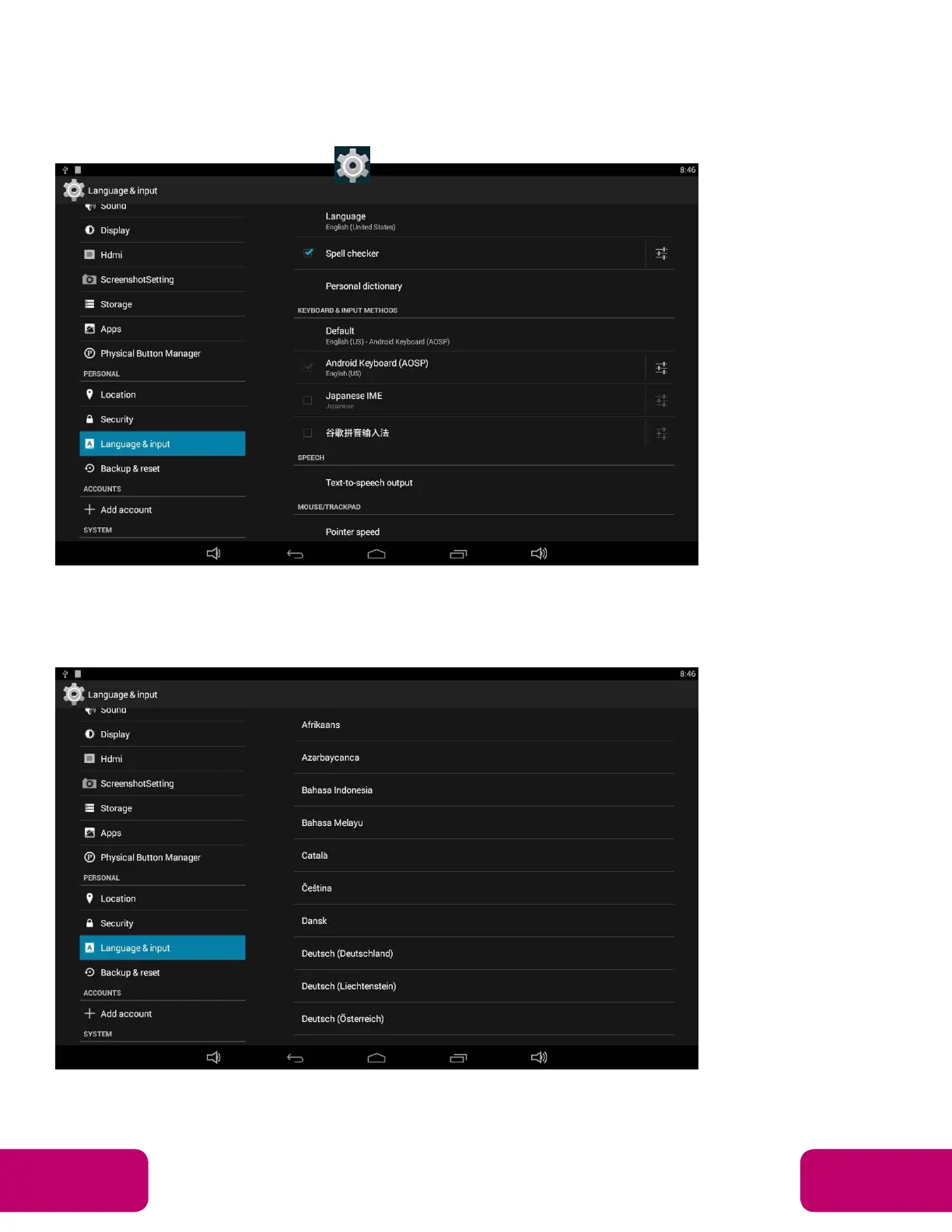
Language
In the App list, click “Settings” to open the system setting app, and select the
“Language & input” option.
Click the first option “Language” under “Language & input”, and then you
can change the system language according to your preference.



 To Next Page