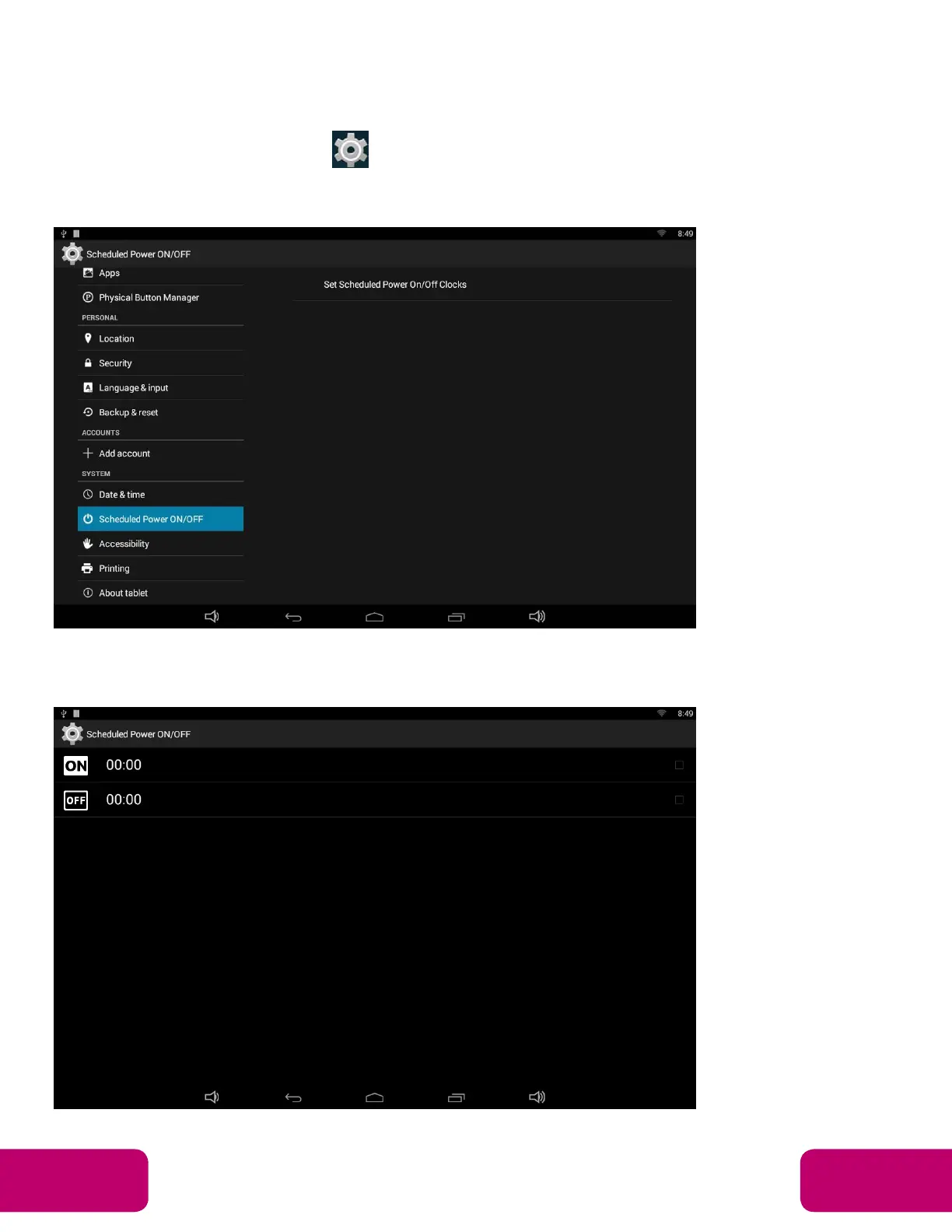
Scheduled Power On/Off
This function is used to power the device on and off automatically at a set
time.
In the App list, click “Settings” to open the system setting app, and then
select the option “Scheduled Power ON/OFF”.
Click the single option “Set Scheduled Power On/Off Clocks”.
Mimo Monitors
info@mimomonitors.com
Sales: 1-855-YES-MIMO (937-6466)
15



 To Next Page