Mimo Monitors
info@mimomonitors.com
Sales: 1-855-YES-MIMO (937-6466)
8
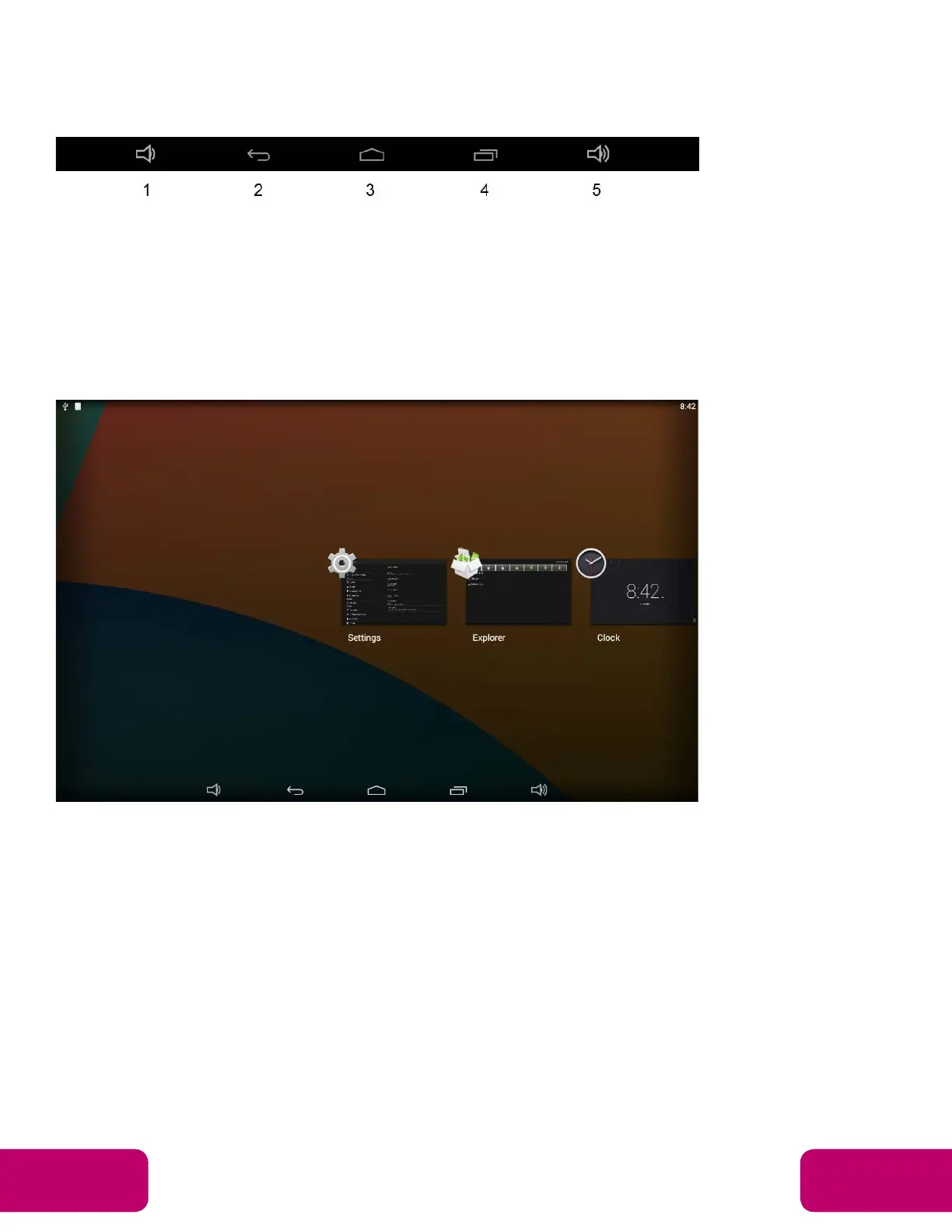
System Bar
Navigation Buttons
1. Volume-: Decrease the system volume.
2. Back: Return to the previous page.
3. Home: Return to the home screen.
4. Recents: Switch between recently used apps.
5. Volume: Increase the system volume
To remove an app from the list, press and hold the icon to select “Remove
from list”.


 To Next Page