Mimo Monitors
info@mimomonitors.com
Sales: 1-855-YES-MIMO (937-6466)
30
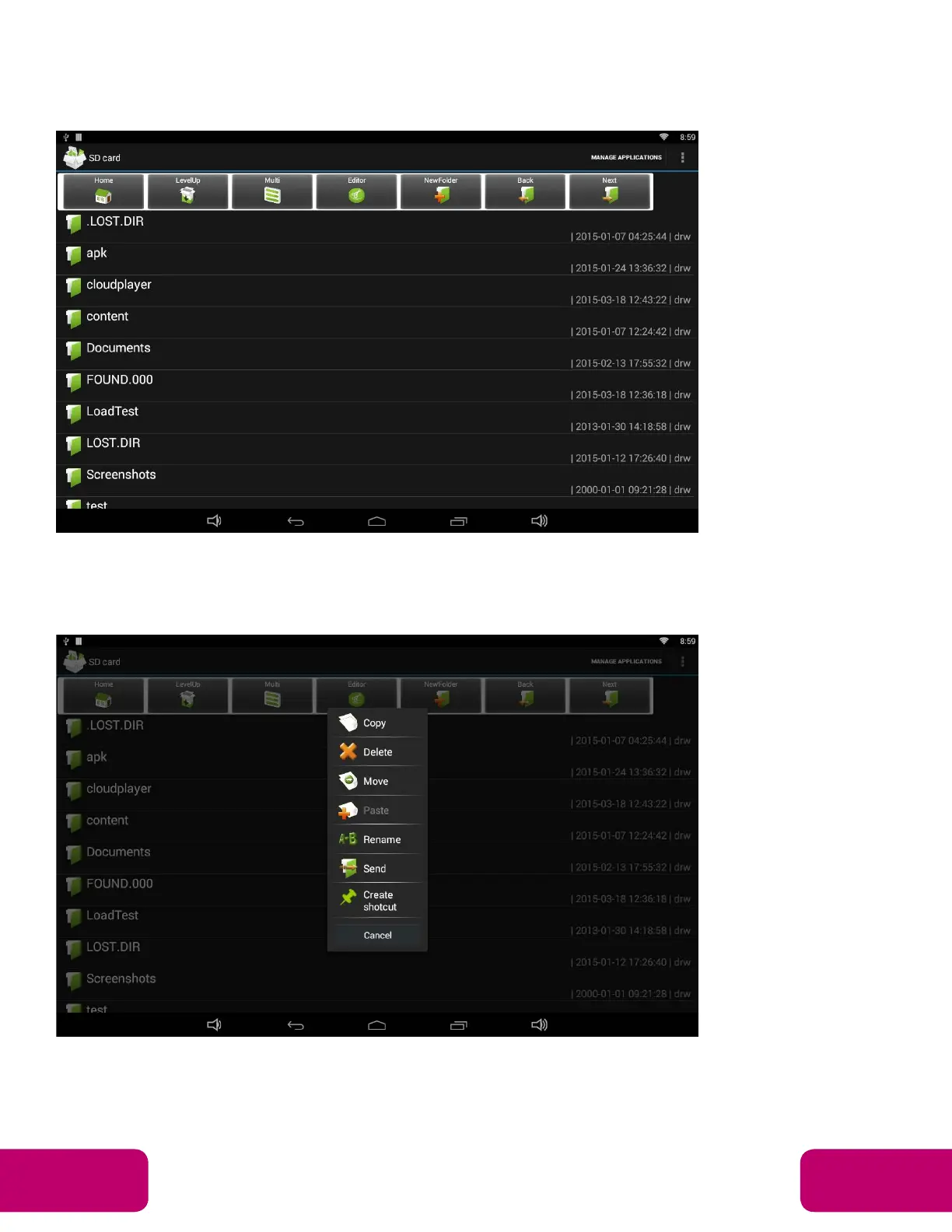
Browse Files
In the App list, open “Explorer” to view local files.
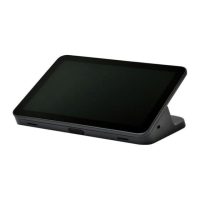
Press and hold a file or folder to complete a file operation, such as copy,
delete, move (cut), paste, rename, send (share) and create shortcut.
If you want to select several files/folders at once, click “Muti” in the menu,
and then select files/folders. The selected files/folders will be highlighted in
blue.


 To Next Page