Date & Time
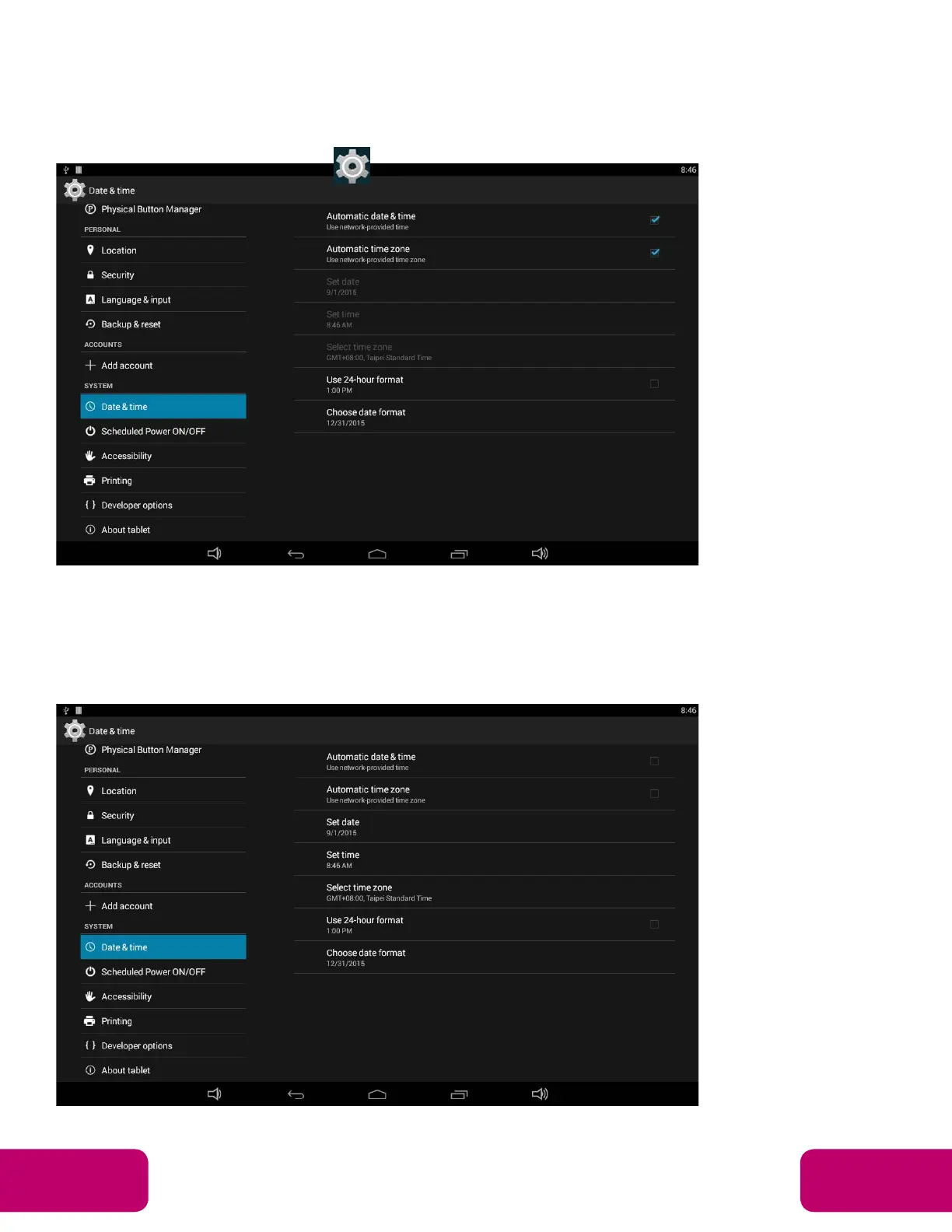
In the App list, click “Settings” to open the system setting app, then select
the option “Date & time”.
If you enabled the option “Automatic date & time” under “Date & time”,
system date, the time will be synchronized automatically with network time
when you connected a Wi-Fi network.
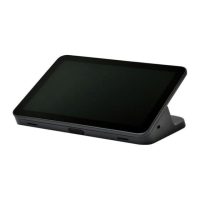
If you want to set the time manually, you need to disable “Automatic date &
time” and “Automatic time zone”.
Mimo Monitors
info@mimomonitors.com
Sales: 1-855-YES-MIMO (937-6466)
13



 To Next Page