Mimo Monitors
info@mimomonitors.com
Sales: 1-855-YES-MIMO (937-6466)
1
1
Browse Files ...................................................................................................................... 30
Play Media ......................................................................................................................... 31
Install & Uninstall Apps .................................................................................................... 31
Install Apps ................................................................................................................... 31
Uninstall Apps .............................................................................................................. 35
Reset to Factory Default.................................................................................................. 36
Declaration
! Please read the instructions carefully before using the device.
! Do not put the product in high temperature, humid or dusty environment.
! Do not drop this product.
! Do not power off the device when it’s formatting or upgrading, otherwise it
will cause an operation system error.
! This product is not waterproof.
! Use only approved add-on devices.
Product Instructions
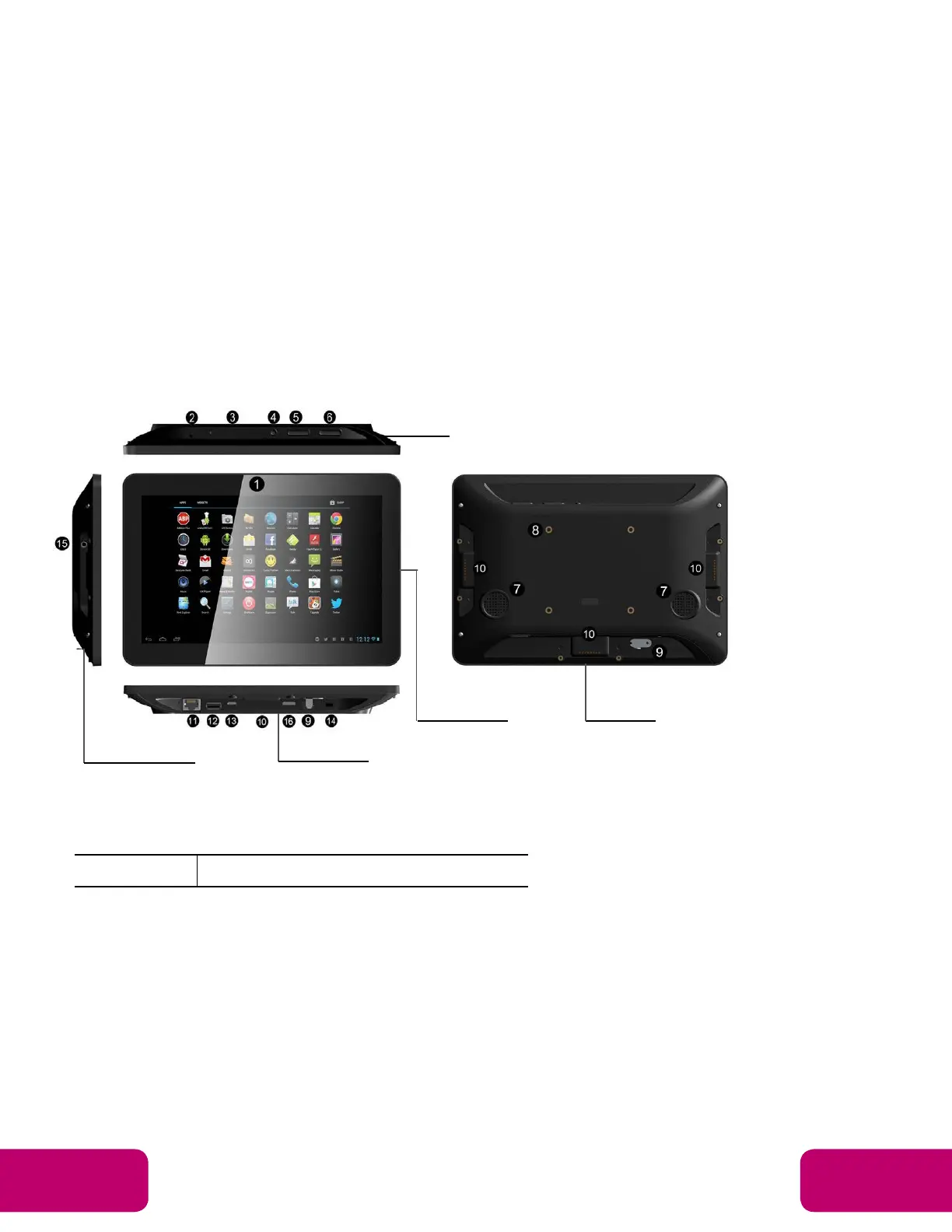
1. Camera (optional): 5M pixels camera
2. LED Indicator:
Green Power supply is on.
Right Side
Back
To



 To Next Page