Mimo Monitors
info@mimomonitors.com
Sales: 1-855-YES-MIMO (937-6466)
20
Ethernet
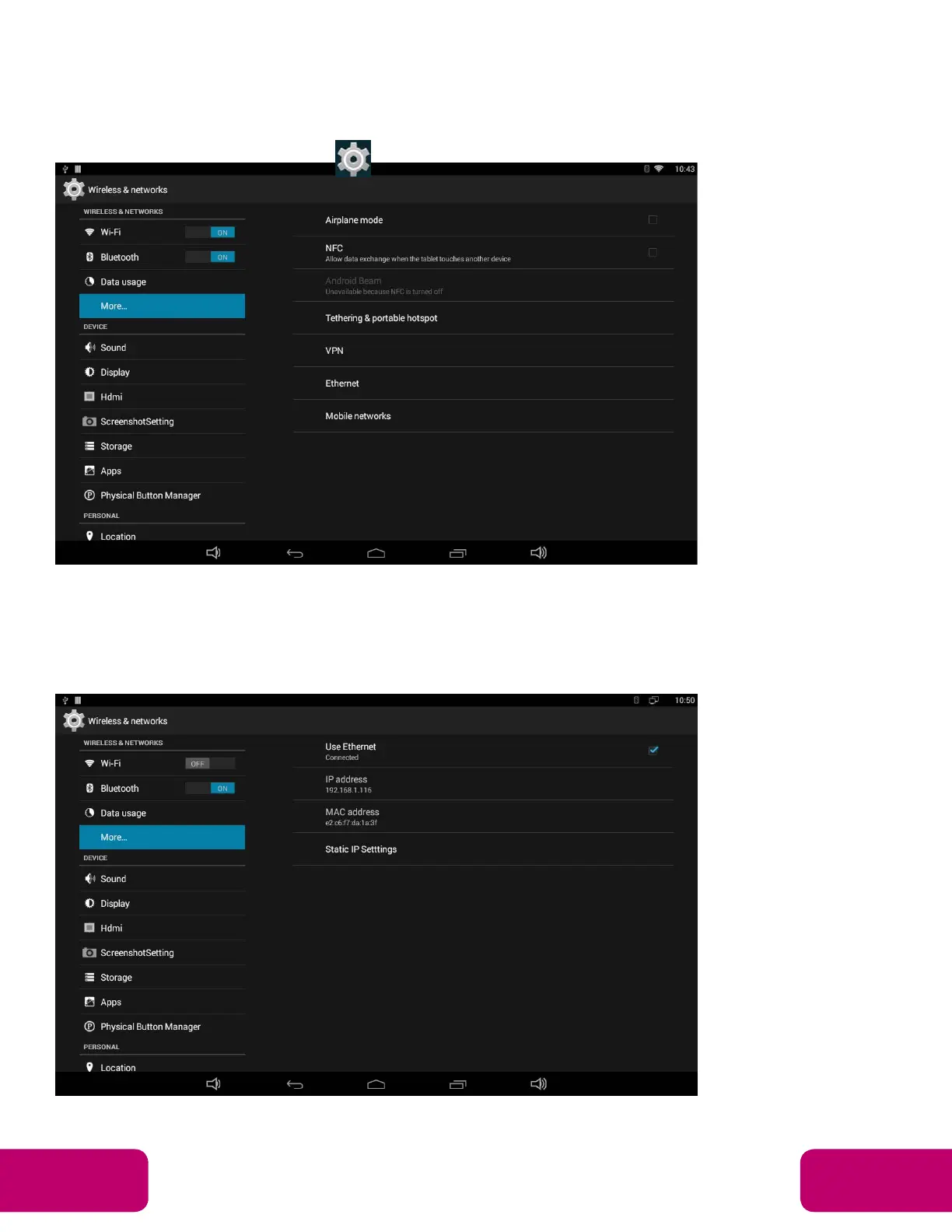
In the App list, click “Settings” to open the system setting app, select the
“More” option and then select “Ethernet” on the right side.
Check “Use Ethernet” and plug the Internet cable into the Ethernet port (#11
in Product Instruction). If Wi-Fi is on, please turn off Wi-Fi to allow Ethernet
to function.



 To Next Page