Mimo Monitors
info@mimomonitors.com
Sales: 1-855-YES-MIMO (937-6466)
21
If you are Static IP user, please set the configuration manually.
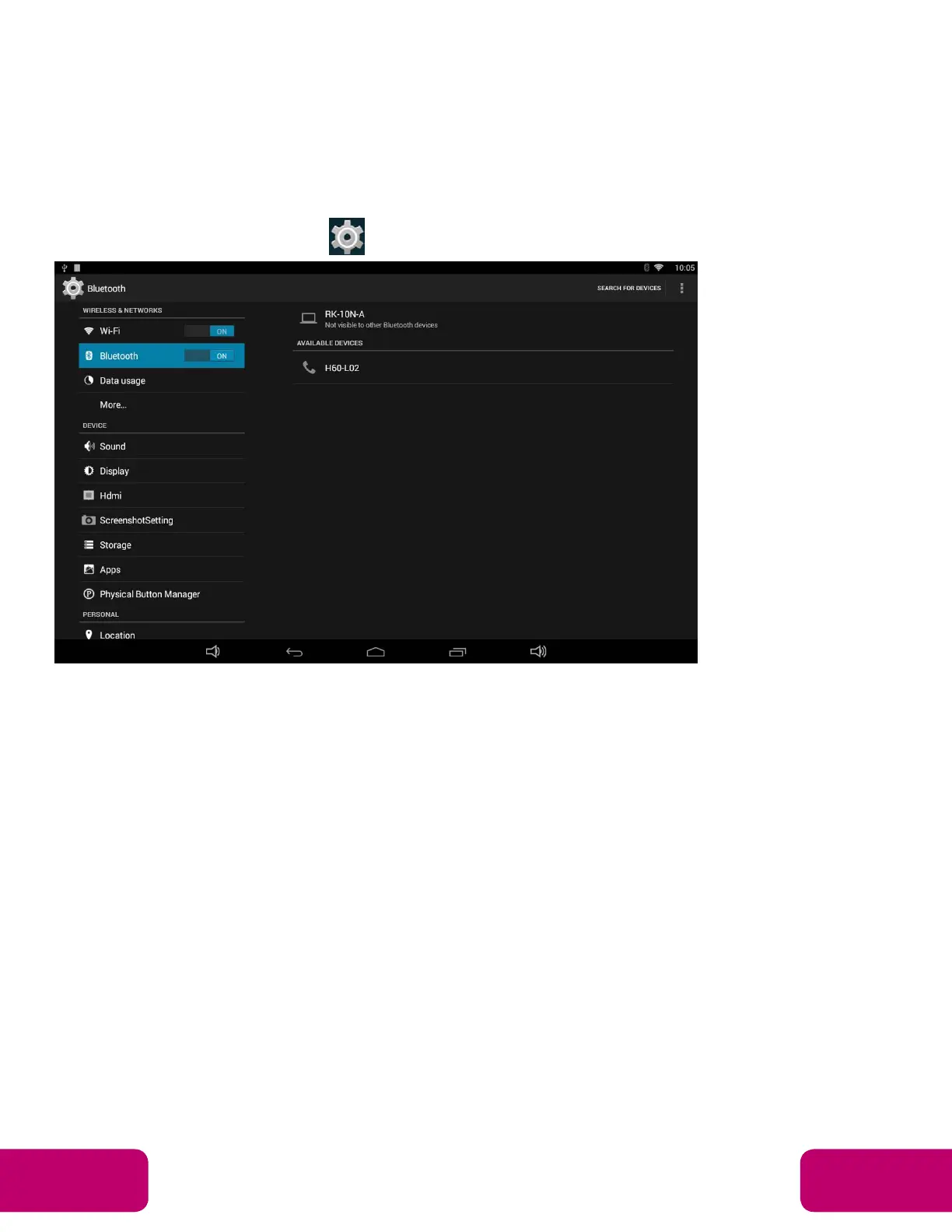
Bluetooth
In the App list, click “Settings” to open the system setting app, and select the
“Bluetooth” option.
Switch the Bluetooth button to ON. The product will scan available Bluetooth
devices automatically.
If you want to pair another Bluetooth device, select it from the “Available
Devices” list, and then click “Pair” in the pop-up window. At the same time,
click “Pair” in the pop-up window of the Bluetooth device to be paired.



 To Next Page