Mimo Monitors
info@mimomonitors.com
Sales: 1-855-YES-MIMO (937-6466)
35
Uninstall Apps
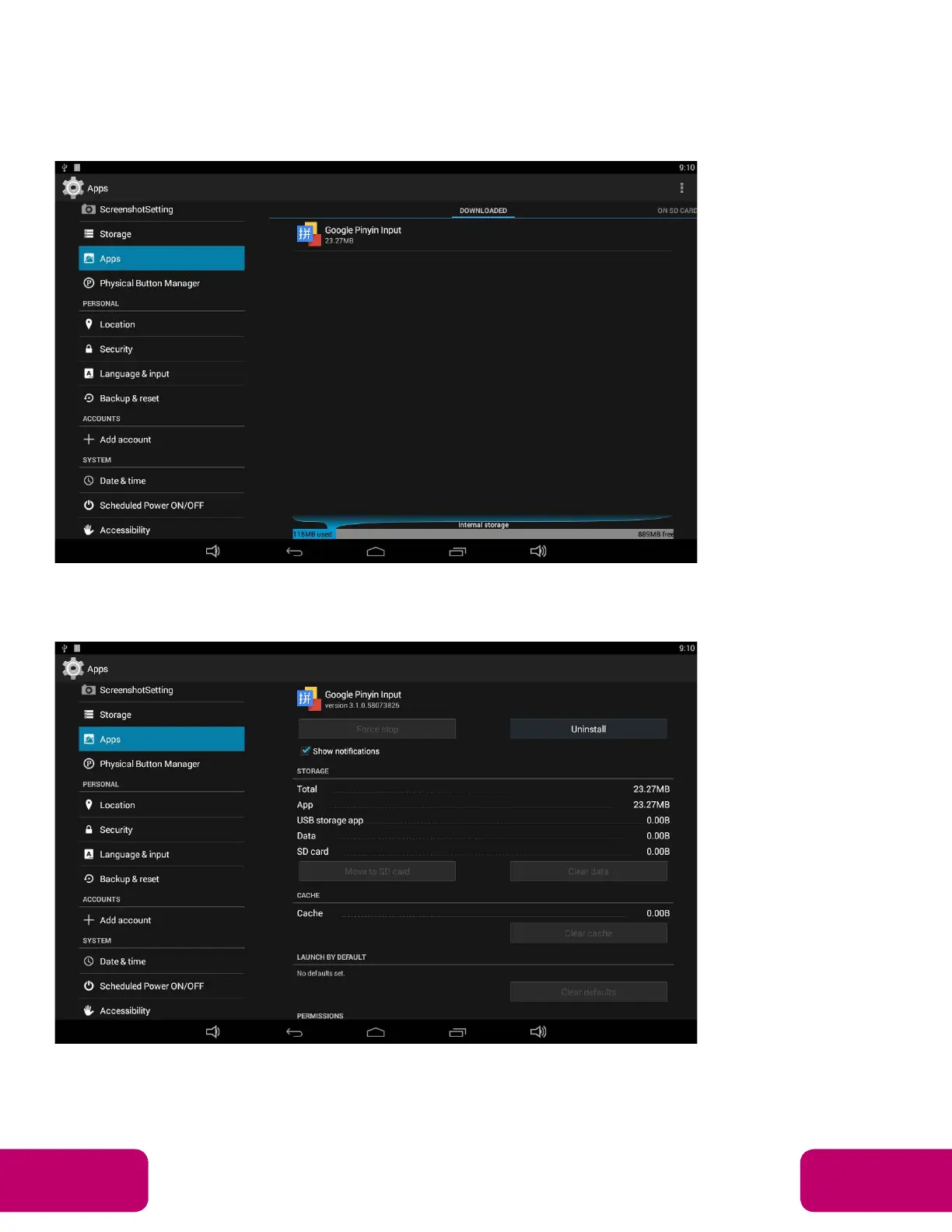
To uninstall an app, please open “Settings” in the App list and select the
“Apps” option. In this option, you will see the installed apps list.
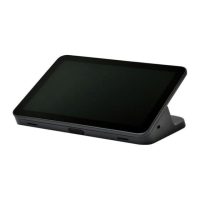
Click the app you want to remove to enter the detail page.
Click the “Uninstall” button and select “OK”, and then wait for uninstallation
finished.


 To Next Page