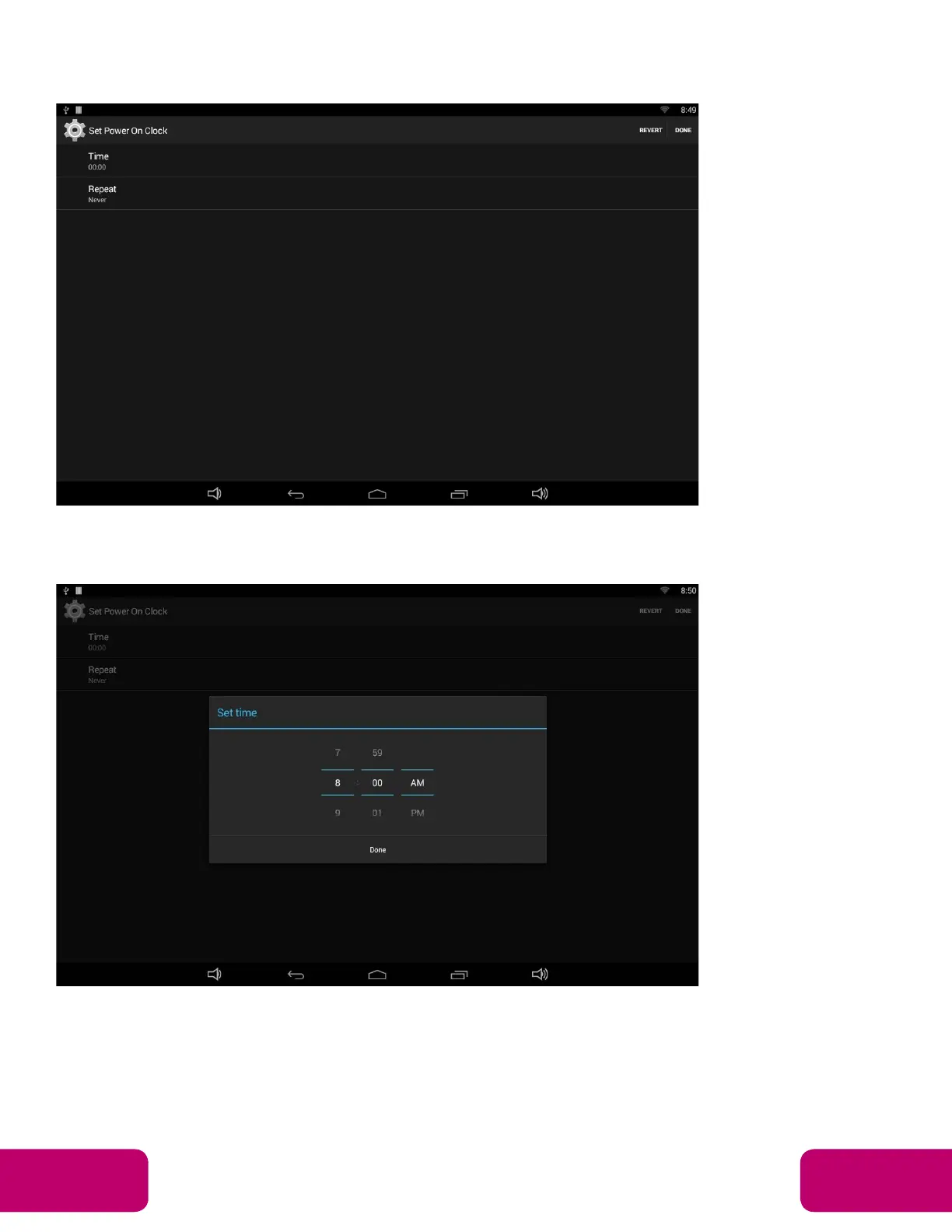
The top row is for powering on the clocks, the second row is for powering off
the clocks. Click the top row to enter the settings for powering on clocks.
Click the option “Time” to set the power on time of this device.
Click the option “Repeat” to select the days which will power on this device at
the set time.
Mimo Monitors
info@mimomonitors.com
Sales: 1-855-YES-MIMO (937-6466)
16



 To Next Page