EasyManua.ls Logo

Mindray DP-9900 - Control Panel

Mindray DP-9900
118 pages
Print Icon
To Next Page IconTo Next Page
To Previous Page IconTo Previous Page
Loading...
System Introduction
1-4
No. Name Introduction
<16> Graph/text printer
port
Connects the graph/text printer
<17> S-Video port
Video output
<18> RS-232
Rreserved
<19> VGA port VGA output
<20> USB port Connects the USB storage device or graph/text printer,
etc.
<21> Ethernet port Connects network
<22> AC input Connects the power cable for the system
<23> Equipotential
terminal
Equipotential connecting
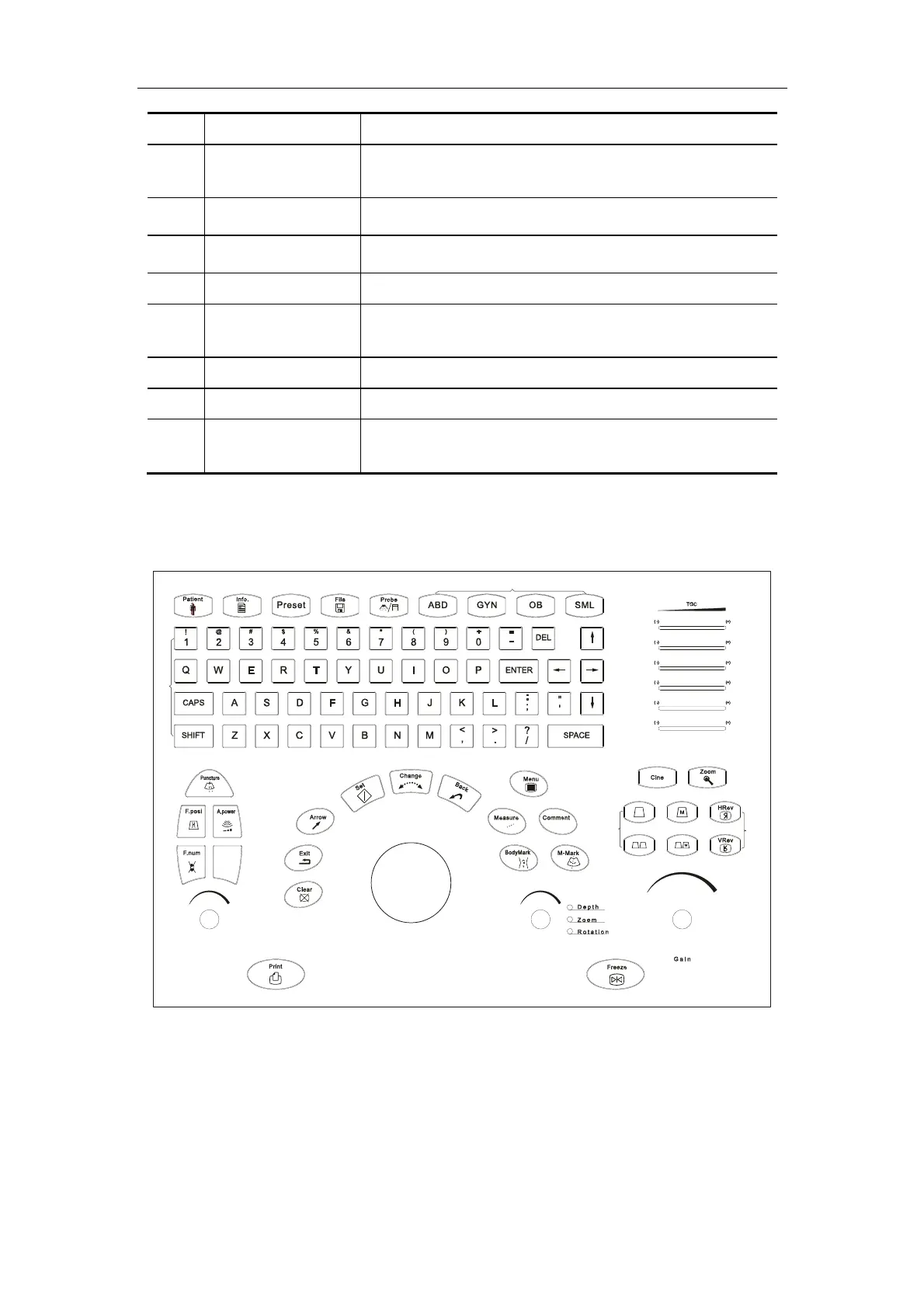
1.1.3. Control Panel
IP
A B C
+
+
<>
1
<>
2
<>
3
<>
4
<>
5
<>
6
<>
7
<>
8
<>
9
<>
10
<>
11
<>
12
<>
13
<>
14
<>
15
<>
16
<>
17
<>
18
<>
19
<>
20
<>
21
<>
22
<>
23
<>
24
<>
25
<>
26
<>
27
<>
28
<29>
<>
30
<>
31
<>
32
<>
34
<>
33
Control Panel

Table of Contents

Other manuals for Mindray DP-9900

Related product manuals