3-2 Passport 8/12 Service Manual
3.2 Preparation for Installation
3.2.1 Preparation for Installation Site
1. Ensure that the site meets all safety, environmental and power requirements.
2. Check that required power sockets are available.
3. Check that a network connector is available if the monitor needs to be connected to network.
Environmental Requirements
To avoid explosion hazard, do not use the equipment in the presence of flammable anesthetics, vapors or liquids. The
environment where the monitor will be used should be reasonably free from vibration, dust and corrosive substances.
If these conditions are not met, the system may not function normally.
The environmental specification is as follows:
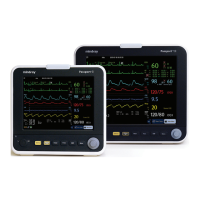
Main Unit (Passport 8)
Item Temperature (°C) Relative humidity (noncondensing) Altitude (kPa)
Operating environment 0 to 40 15% to 95% 57.0 to 107.4
Storage environment -30 to 70 10% to 95% 16.0 to 107.4
Main Unit (Passport 12)
Item Temperature (°C) Relative humidity (noncondensing) Altitude (kPa)
Operating environment 0 to 40 15% to 95% 57.0 to 107.4
Storage environment -20 to 60 10% to 95% 16.0 to 107.4
Sidestream CO
2
module
Item Temperature (°C) Relative humidity (noncondensing) Altitude (kPa)
Operating environment 5 to 40 15% to 95% 57.3 to 105.3
Storage environment -20 to 60 10% to 95% 57.3 to 105.3
Microstream CO
2
module
Item Temperature (°C) Relative humidity (noncondensing) Altitude (kPa)
Operating environment 0 to 40 15% to 95% 57.3 to 105.3
Storage environment -20 to 60 10% to 95% 57.3 to 105.3
NOTE
The environmental specifications of unspecified parameters are the same as those of Passport 12 main unit.



 To Next Page
 Loading...