Passport 8/12 Service Manual 7-5
7.3.7 Removing Battery Interface Board and Power Board (Passport 8)
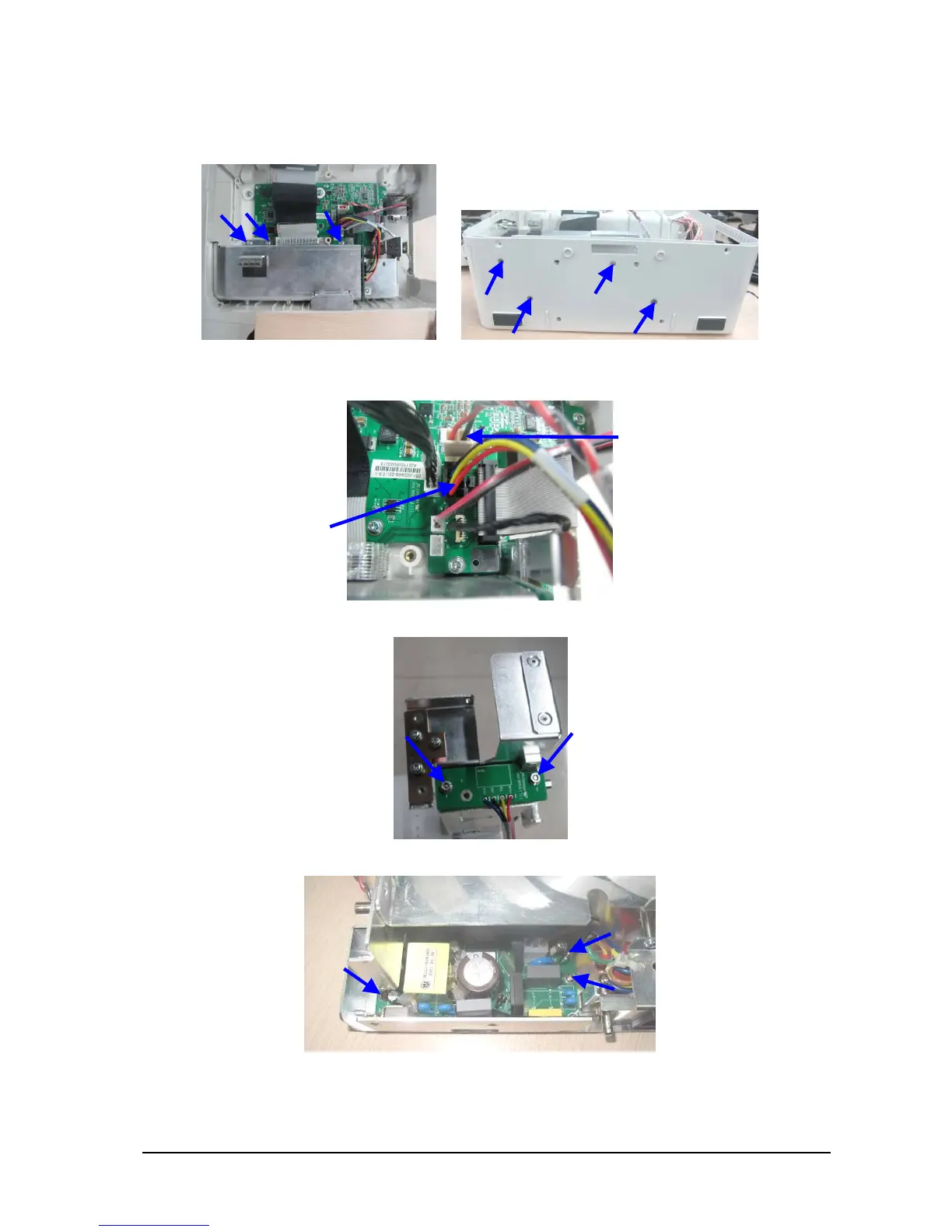
1. Unscrew the three M3×6 screws inside the monitor and the four M3×6 screws on the bottom as shown below:
2. Disconnect the cable between battery interface board and power management board, and the cable between
the power management board and AC/DC power board. Then take out the battery compartment assembly.
3. Unscrew the two M3 nuts to take out the battery interface board.
4. Unscrew the three M3×6 screws to remove the AC/DC power board.
Cable between the power
management board and
AC/DC power board
Cable between the battery
interface board and power
management board



 To Next Page
 Loading...