EasyManua.ls Logo

Mindray M5 - User Manual

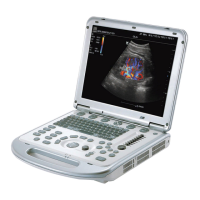
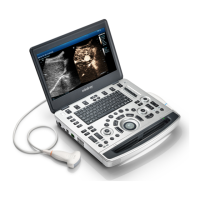
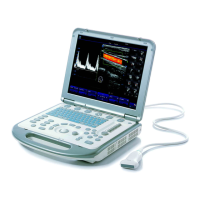
Mindray M5
305 pages
Print Icon
To Next Page IconTo Next Page
Loading...
M5 Diagnostic Ultrasound
System
Operators Manual
[Basic Volume]

Table of Contents

Questions and Answers

  • D
    David TownsendJul 27, 2025
    What to do if my Mindray M5 monitor displays characters but no images?
    • S
      Stephanie RoseJul 28, 2025
      If your Mindray Medical Equipment monitor shows characters but no images, there are a few potential causes. First, the transmission power, overall gain, or TGC controls might be improperly set; try adjusting these. Second, ensure that a transducer is properly connected. Finally, check if the system is in a frozen state and unfreeze the image.
  • M
    Maria RodriguezAug 4, 2025
    Why has the image quality of my Mindray M5 degraded?
    • S
      serranodavidAug 4, 2025
      Degraded image quality on your Mindray Medical Equipment can stem from several factors. First, ensure that you've selected the correct exam type. Second, the image post-processing settings might be incorrect; adjust them or reset to default. Finally, consider resetting to the factory default setups.
  • U
    uvaldezAug 10, 2025
    How to fix a blank image on a Mindray M5 monitor when the power indicator is on?
    • K
      Kelli WatsonAug 11, 2025
      If your Mindray Medical Equipment monitor's power indicator is on but the image is blank, the issue might be due to a short interval between turning the device off and restarting it. Wait at least one minute before restarting the system. Alternatively, the monitor's brightness or contrast settings may be improperly configured; adjust them back to factory defaults.
  • K
    Kristen AdamsSep 10, 2025
    How to troubleshoot a Mindray M5 device if the power indicator doesn't light up?
    • T
      Taylor DouglasSep 12, 2025
      If the power indicator on your Mindray Medical Equipment doesn't light up after turning on the power supply, it could be due to an abnormal power system or an incorrect power cord connection. Verify that the system is properly plugged in and that the plug is securely connected to the back of the system.

Mindray M5 Specifications

General IconGeneral
Power Supply100-240V AC, 50/60Hz
B-ModeYes
ConnectivityDICOM, USB, Ethernet
Imaging ModesB-Mode, M-Mode, Color Doppler, Power Doppler, Pulsed Wave Doppler
Transducer Ports2
ApplicationsAbdominal, Cardiac, Vascular, Urology, Small Parts, Musculoskeletal
Probe Connectors2
Doppler ModesColor Doppler, Power Doppler, Pulsed Wave Doppler
StorageUSB storage

Related product manuals