7-10 Passport 8/12 Service Manual
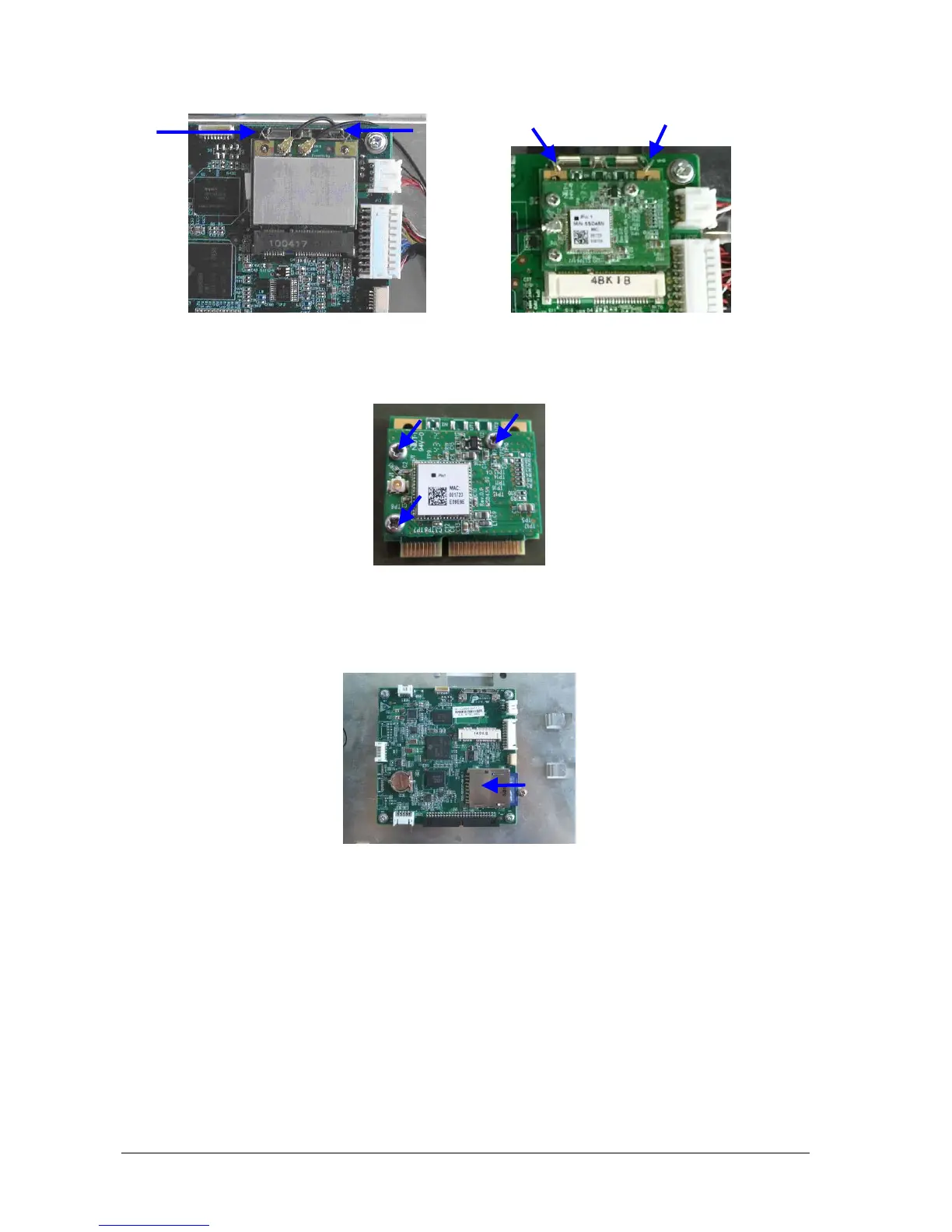
3. Push the clamps aside to remove the Wi-Fi module.
4. For Laird 2.4/5GHz Module, unscrew the three M2×4 screws and disassembly the Laird 2.4/5GHz Module and
Carrier Board of Wireless Module:
7.4.3 Removing SD Card
Unscrew the M3×6 screw, and push the SD card as indicated below to take out the SD card.
7.4.4 Removing the Main Control Board
Disconnect the alarm lamp cable, cable for display backlight, display cable, and the cable between the main board
and keypad board respectively. Unscrew the four M3×8 screws and take out the main board, as shown below:
Clamps
Clamps
Clamps
Clamps
Cyber link Laird



 To Next Page
 Loading...