Passport 8/12 Service Manual 5-3
5.2.2.3 Calibration
Tools required:
A steel gas cylinder with 5±0.03% CO
2
, 21.0% O
2
and balance gas N
2
(P/N 0075-00-0033-01), or a steel gas cylinder
with:
CO
2
concentration 3% - 7%
a/c ≤ 0.01 (where a = absolute gas concentration accuracy, c = gas concentration)
balance gas N
2
T-shape connector
Tubing
To perform a calibration:
1. Make sure that the sidestream or microstream CO
2
module is warmed up.
2. Check the airway for leaks.
3. Select [Main Menu]
→
[Maintenance >>]
→
[User Maintenance >>]
→
enter the required password
→
[Module
Maintenance>>]→[Maintain CO2 >>]
→
[Calibrate CO2 >>].
4. In the [Calibrate CO2] menu, select [Zero].
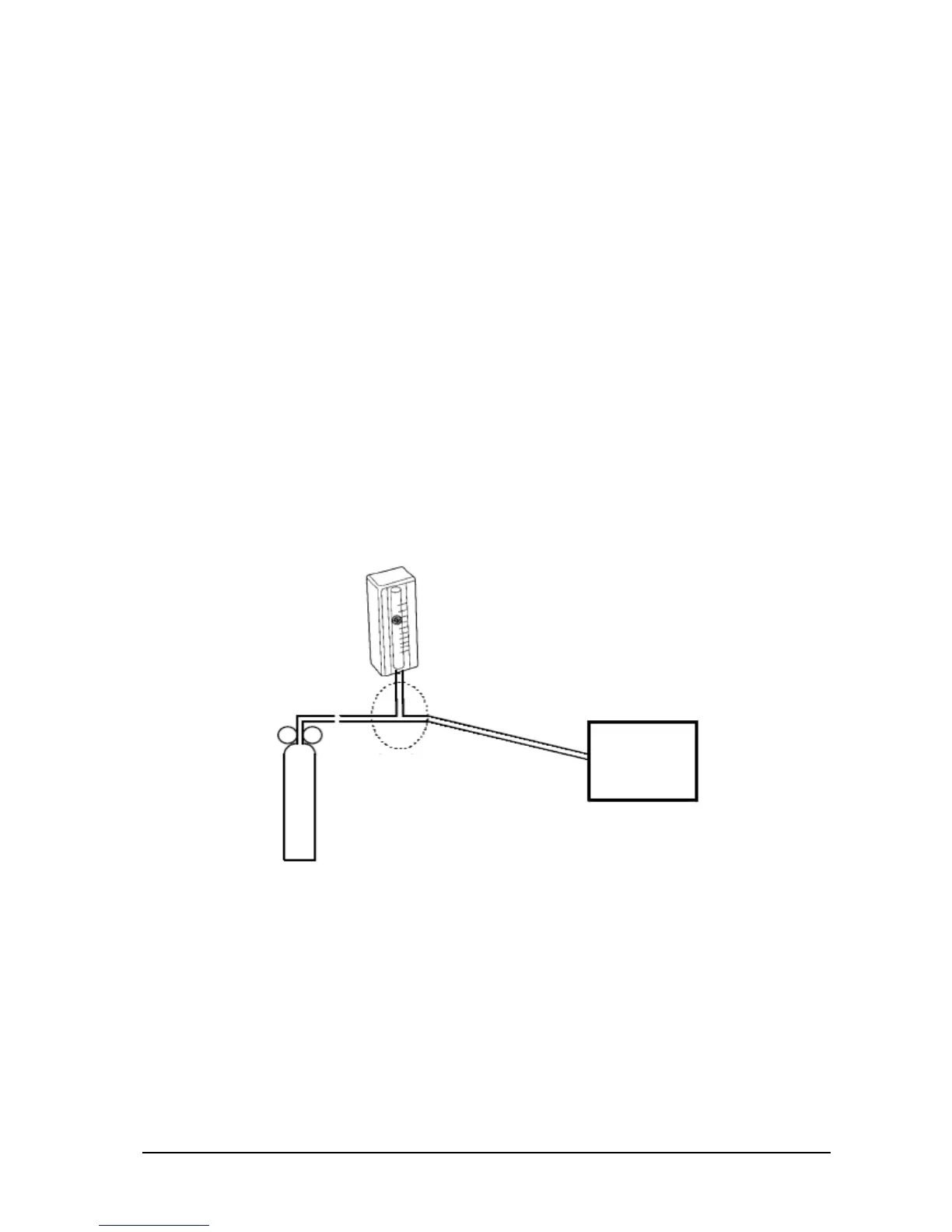
5. After the zero calibration is finished successfully, connect the equipment as follows:
6. Open the valve to flow CO2 and make sure that there is flow sufficient to vent to atmosphere.
7. In the [Calibrate CO2] menu, enter the CO2 concentration in the [CO2] field.
8. In the [Calibrate CO2], the measured CO2 concentration is displayed. After the measured CO2 concentration
becomes stable, select [Calibrate CO2] to calibrate the CO2 module.
If the calibration is finished successfully, the message [Calibration Completed!] is displayed in the [Calibrate CO2]
menu. If the calibration failed, the message [Calibration Failed] is displayed. In this case, perform another calibration.
Monitor
Cylinder
Flowmeter
Relief valve
T-shape connector
Sampling line


 To Next Page
 Loading...