14
3-3-5. Actual Torque Setting
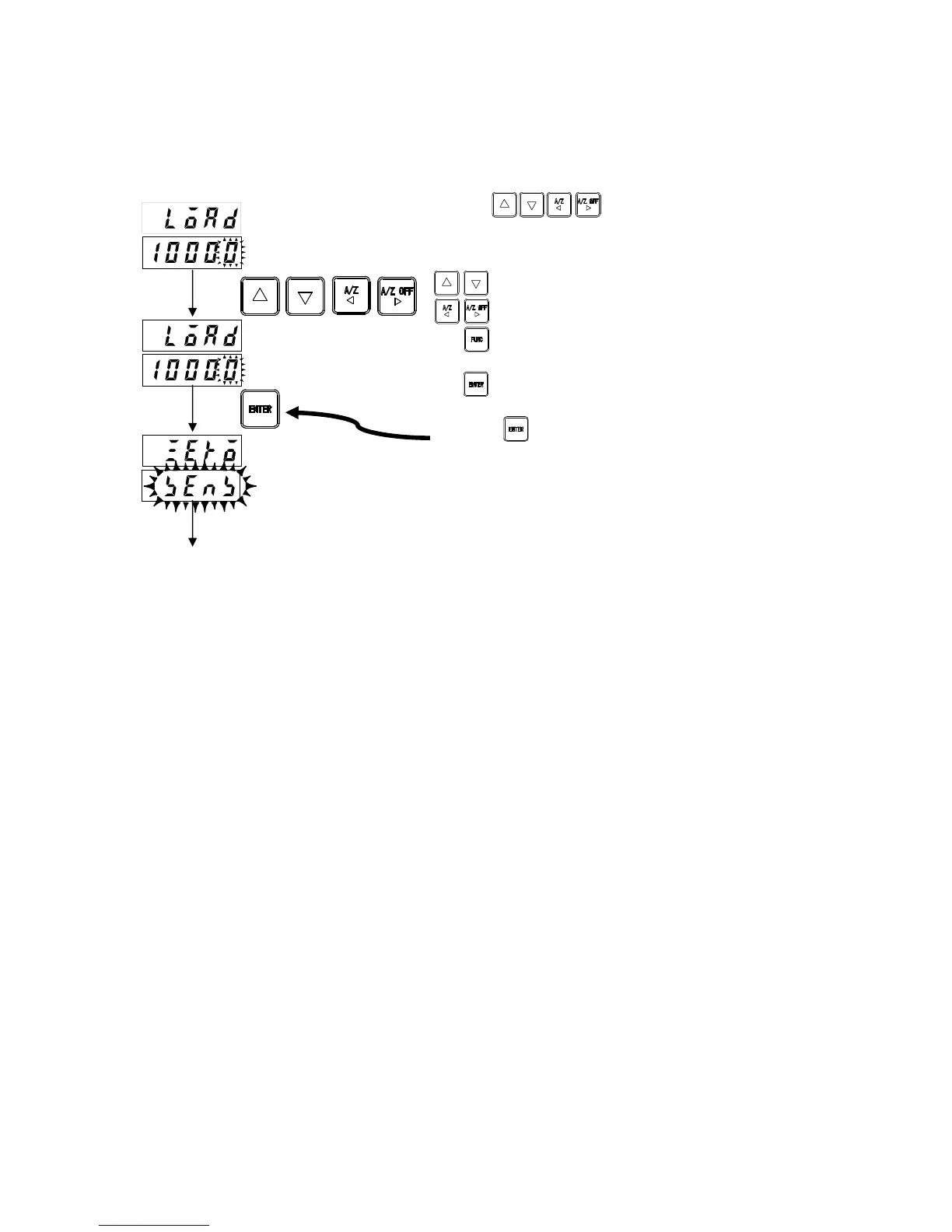
Set actual torque acting on the torque transducer (or torque transducer output).
When calibrating by entering numerical values, set the same value as set in "3-3-4 Torque Setting".
* Enter value (3) on the calibration certificate sheet. (No decimal point)
For example, if the maximum indication is 100.00 N·m, set to [10000].
Use the keys to change the torque on
the lower display to the required value.
: Alters the value of the digit to be altered.
: Selects the digit to be altered.
: Cancels the setting and returns to
measurement mode.
: Registers the value displayed and
proceeds to the next step.
Press the key after setting.
Actual torque value
or torque meter output
To zero calibration
New torque value



 To Next Page