Print or save - miniDSP Flex Eight
https://docs.minidsp.com/product-manuals/flex-eight/print_page.html
Playing Audio
The miniDSPFlexEight has a range of input sources and output connections. This section provides an overview of the
basics so you can quickly get started with playing audio.
Connecting sources
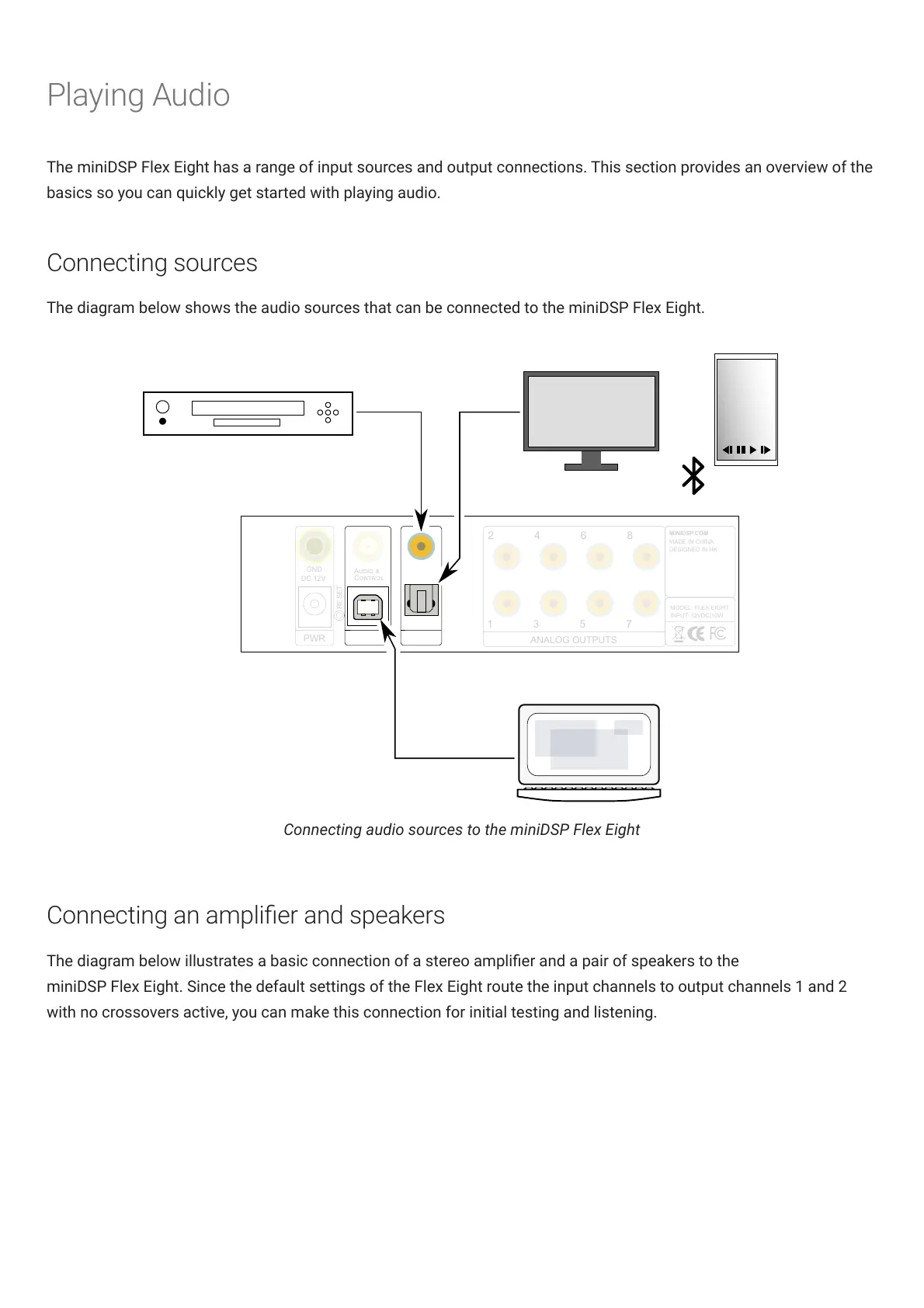
The diagram below shows the audio sources that can be connected to the miniDSPFlexEight.
USB audio
Digital sources
ANALOG OUTPUTS
MINIDSP.COM
MADE IN CHINA
DESIGNED IN HK
MODEL: FLEX EIGHT
INPUT: 12VDC/10W
GND
A
C
DC 12V
SPDIF
TOSLINK
D
USB
PWR
RESET
2
1
4
3
6
5
8
7
SPDIF coax TOSLINK optical
miniDSP
Flex Eight
Bluetooth
audio
Connecting audio sources to the miniDSPFlexEight
Connecting an amplier and speakers
The diagram below illustrates a basic connection of a stereo amplier and a pair of speakers to the
miniDSPFlexEight. Since the default settings of the FlexEight route the input channels to output channels 1 and 2
with no crossovers active, you can make this connection for initial testing and listening.



 To Next Page