Print or save - miniDSP Flex Eight
https://docs.minidsp.com/product-manuals/flex-eight/print_page.html
You will see a similar dialog if you edit the settings of your device using a different computer or the older "plugin" user
interface (the latter is not recommended once you have migrated to the miniDSPDeviceConsole).
If you have more than one device of the same type, only one of them can be edited using the template device. If you have
more than one device of the same type or need to edit your devices from more than one computer, you will need to
manage your presets by exporting them to and importing them from les. See Importing and Exporting.
Settings
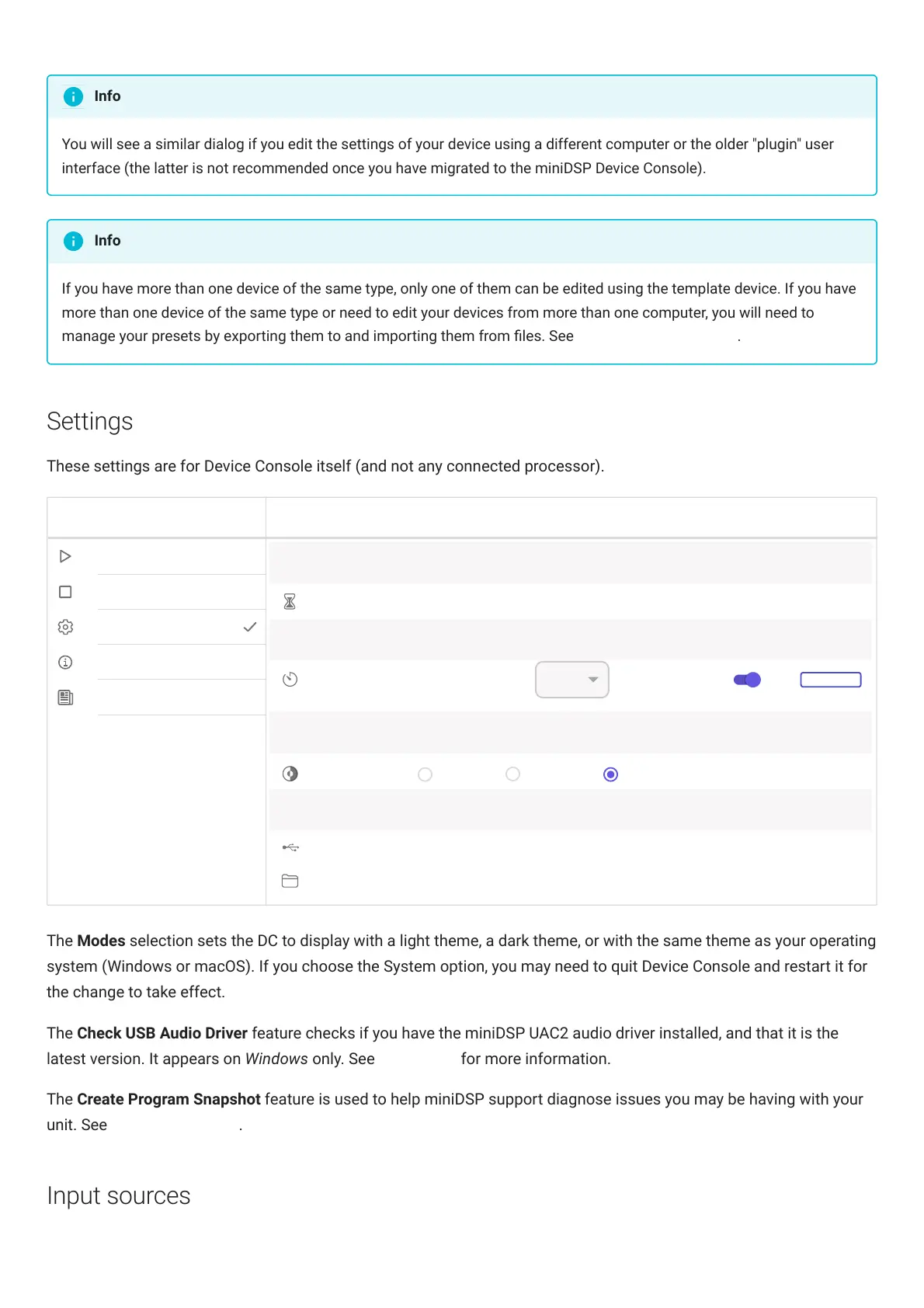
These settings are for Device Console itself (and not any connected processor).
Settings
Network Device Discovery
Timeout
40
seconds
Software Update
Check Interval
24
Enable
Last checked: No updates available at 15:49:29 GMT+1000 (Hong Kong Time) on Fri Aug 19 2022
Color Mode
Modes
Light Dark System
Support
Check USB Audio Driver
Main M e nu
Create Program Snapshot
Hours
Discover Devices
Template Devices
Settings
About
Version History
CHECK NOW
The Modes selection sets the DC to display with a light theme, a dark theme, or with the same theme as your operating
system (Windows or macOS). If you choose the System option, you may need to quit DeviceConsole and restart it for
the change to take effect.
The Check USB Audio Driver feature checks if you have the miniDSP UAC2 audio driver installed, and that it is the
latest version. It appears on Windows only. See Installation for more information.
The Create Program Snapshot feature is used to help miniDSP support diagnose issues you may be having with your
unit. See Obtaining Support.
Input sources
Info
Info



 To Next Page