Print or save - miniDSP Flex Eight
https://docs.minidsp.com/product-manuals/flex-eight/print_page.html
Signal routing
Overview
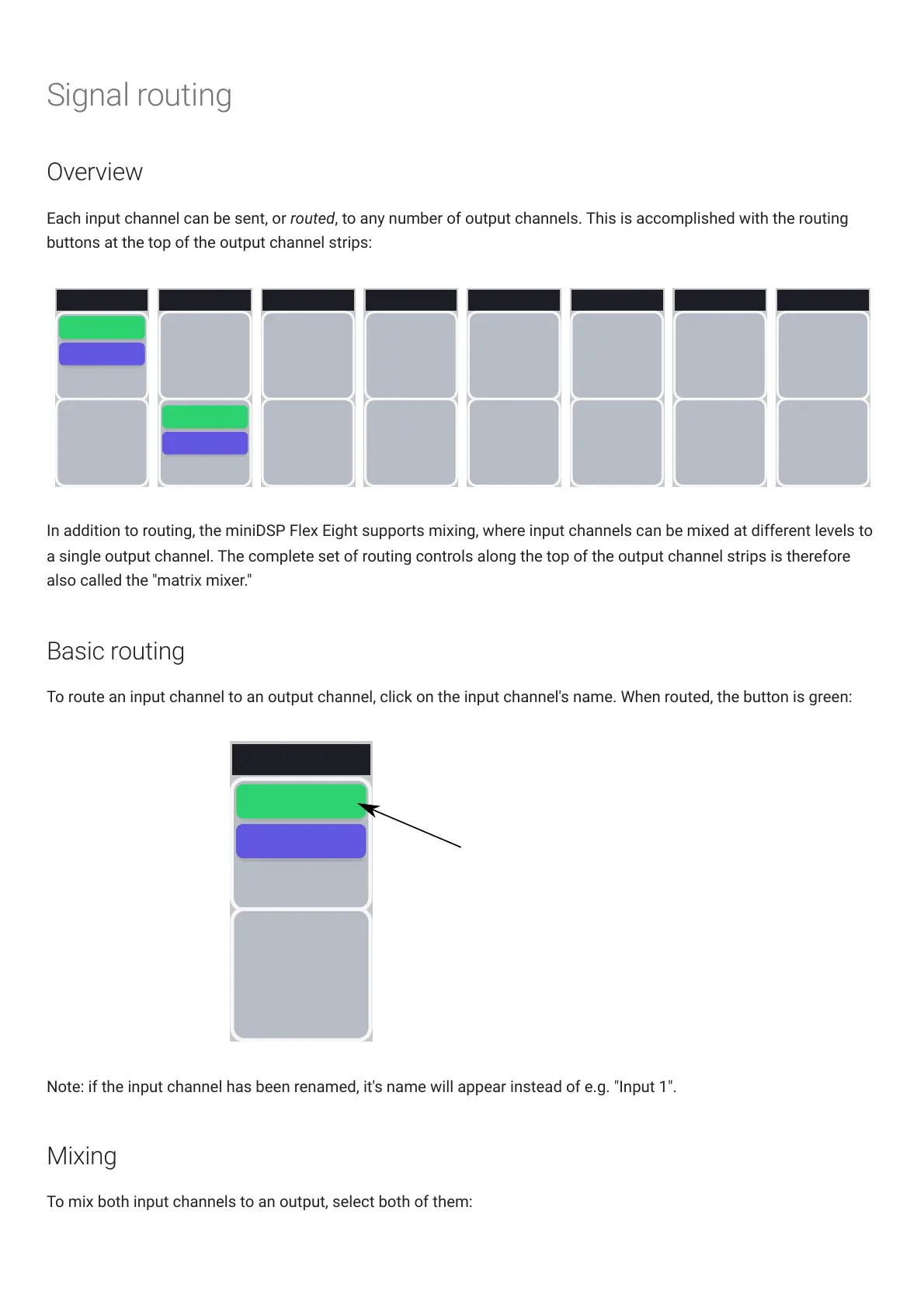
Each input channel can be sent, or routed, to any number of output channels. This is accomplished with the routing
buttons at the top of the output channel strips:
Output 7
INPUT 1
0 DB
INVERT
INPUT 2
INVERT
0 DB
Output 2
INPUT 1
0 DB
INVERT
INVERT
0 DB
Output 4
INPUT 1
0 DB
INVERT
INPUT 2
INVERT
0 DB
Output 5
INPUT 1
0 DB
INVERT
INPUT 2
INVERT
0 DB
Output 6
INPUT 1
0 DB
INVERT
INPUT 2
INVERT
0 DB
Output 8
INPUT 1
0 DB
INVERT
INPUT 2
INVERT
0 DB
Output 1
INVERT
INPUT 2
INVERT
0 DB
0 DB
INPUT 1
INPUT 2
Output 3
INPUT 1
0 DB
INVERT
INPUT 2
INVERT
0 DB
In addition to routing, the miniDSPFlexEight supports mixing, where input channels can be mixed at different levels to
a single output channel. The complete set of routing controls along the top of the output channel strips is therefore
also called the "matrix mixer."
Basic routing
To route an input channel to an output channel, click on the input channel's name. When routed, the button is green:
Output 1
INVERT
INPUT 2
INVERT
0 DB
0 DB
INPUT 1
Input channel 1 is
routed to output channel 1
at 0 dB (no attenuation)
Note: if the input channel has been renamed, it's name will appear instead of e.g. "Input 1".
Mixing
To mix both input channels to an output, select both of them:



 To Next Page