Note that individual audio playback apps may allow the miniDSPFlexEight to be selected for audio output
independently of the system default. They may also control sample rate automatically.
Windows 11
Note: to play USB audio from Windows, the miniDSP UAC2 driver package must be installed rst.
Default audio device
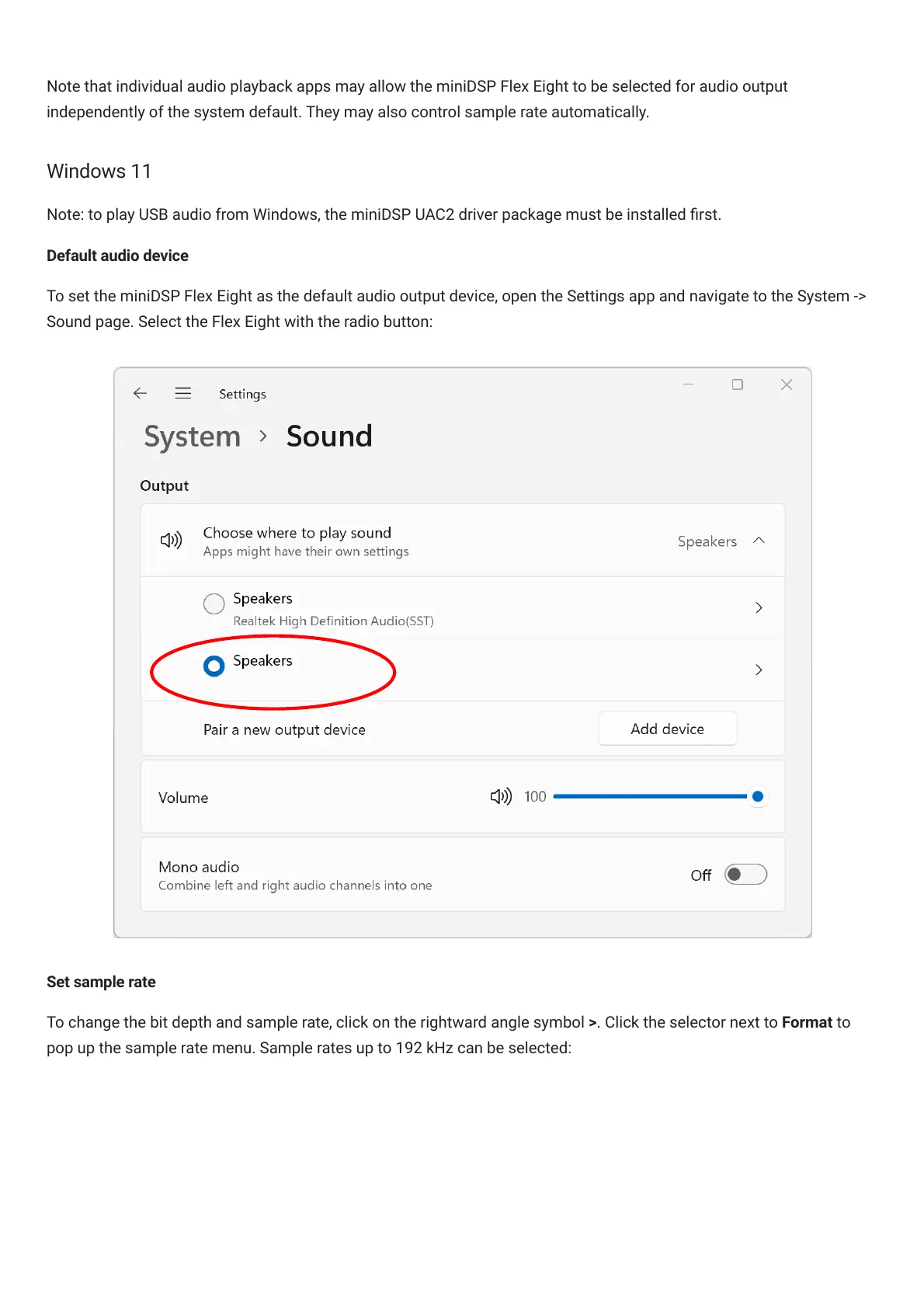
To set the miniDSPFlexEight as the default audio output device, open the Settings app and navigate to the System ->
Sound page. Select the FlexEight with the radio button:
Set sample rate
To change the bit depth and sample rate, click on the rightward angle symbol >. Click the selector next to Format to
pop up the sample rate menu. Sample rates up to 192 kHz can be selected:



 To Next Page