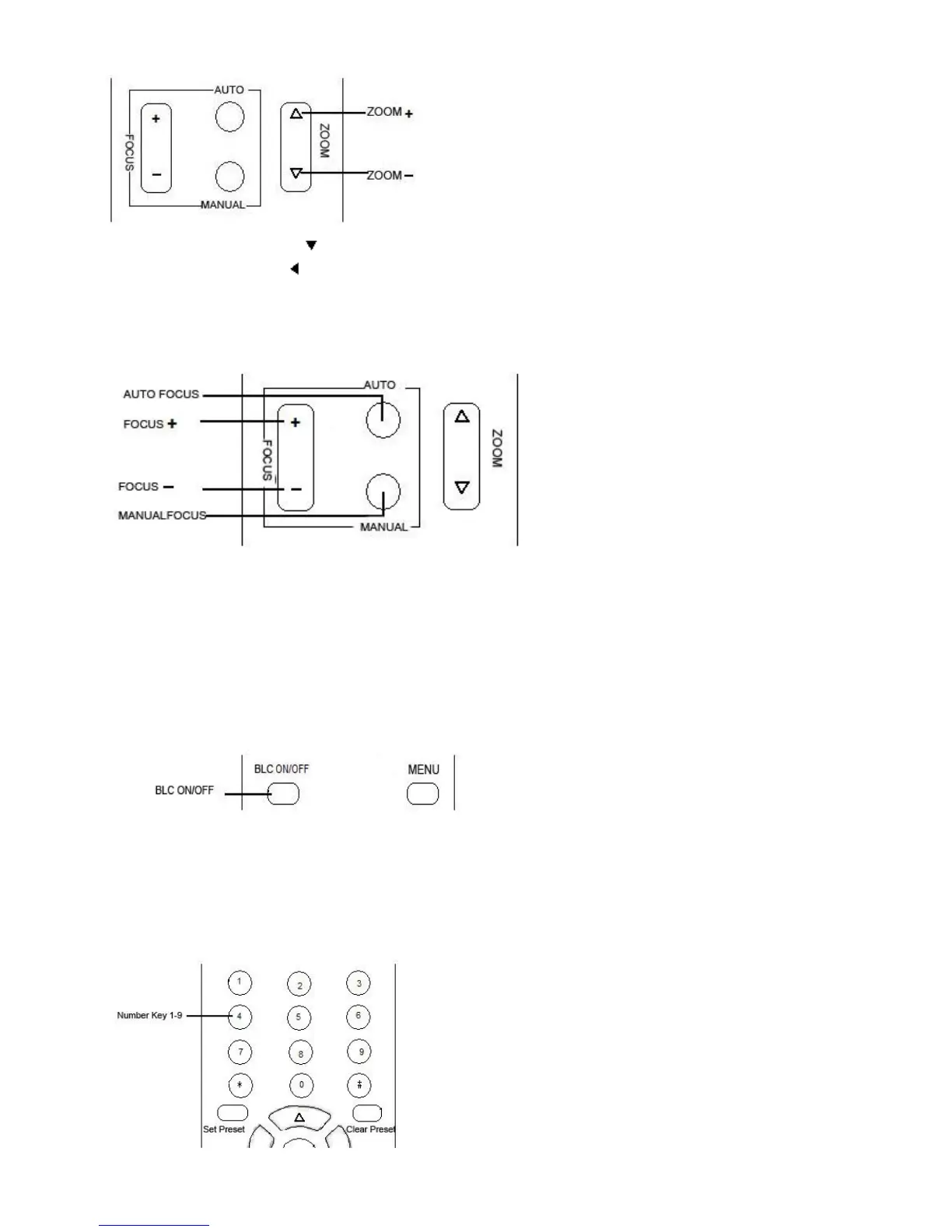
ZOOM OUT: press “ZOOM “ key
ZOOM IN: press “ZOOM ” key
Press and hold the key, the camera will keep zooming in or zooming out and stops as soon as the key is
released.
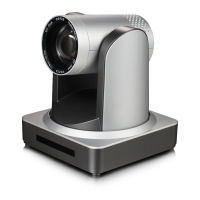
3、Focus Control
Focus (far): Press ”【focus+】” key
Focus (near): Press “【focus-】“key
Auto Focus: Press "【auto】"
Manual Focus: Press "【manual】"
Press and hold the key, the action of focus continues and stops as soon as the key is released.
4、BLC Setting
BLC ON / OFF: not support
5、Presets setting
1、Preset setting : to set a preset position, the users should press the “【SET PRESET】” key first and then


 To Next Page