15(21)
4. Configurable Parameters
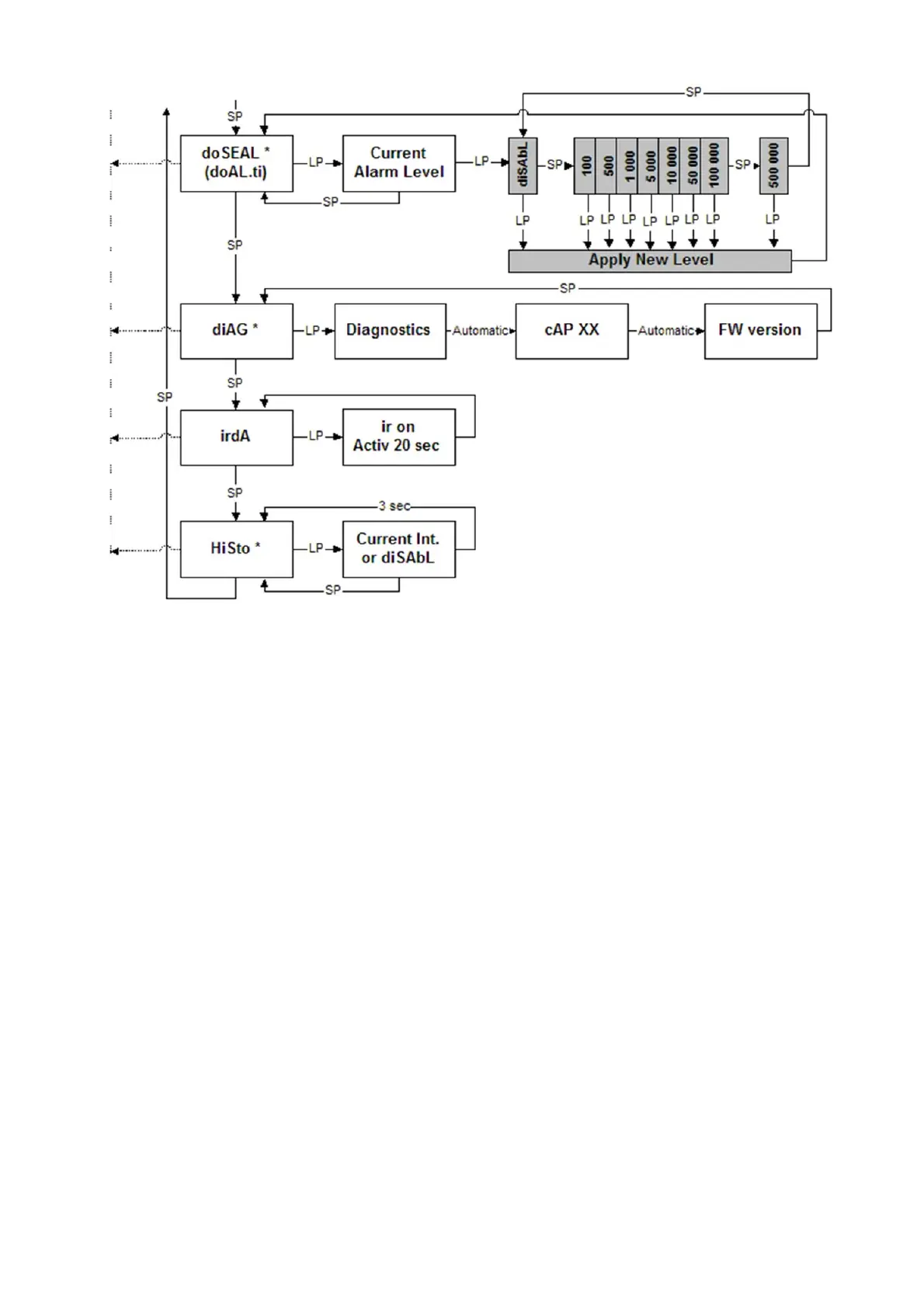
Most of the menu items (marked with *) can be disabled from the menu with the CSW
software. When a menu item is disabled, it is not visible in the menu list.
4.1 Display illumination
There are three configuration options:
Configuration 1: When the push button is pressed, the display backlight is lit for 10
seconds (timeout mode).
Configuration 2: The display backlight is switched on by pressing the push button and
remains lit until the button is pressed again (user-defined mode).
Configuration 3: The backlight is on permanently (constantly on –mode).
4.2 Show and reset cumulative dose (doSE)*
This is a configurable function with 2 options:
Configuration 1: The Cumulative Dose is displayed and can be reset using the push
button of the instrument.
Configuration 2: The Cumulative Dose can be displayed but can not be reset using
the push button of the instrument.













 To Next Page