108
7521
7521
Plus / N N/B MAINTENANCE
Plus / N N/B MAINTENANCE
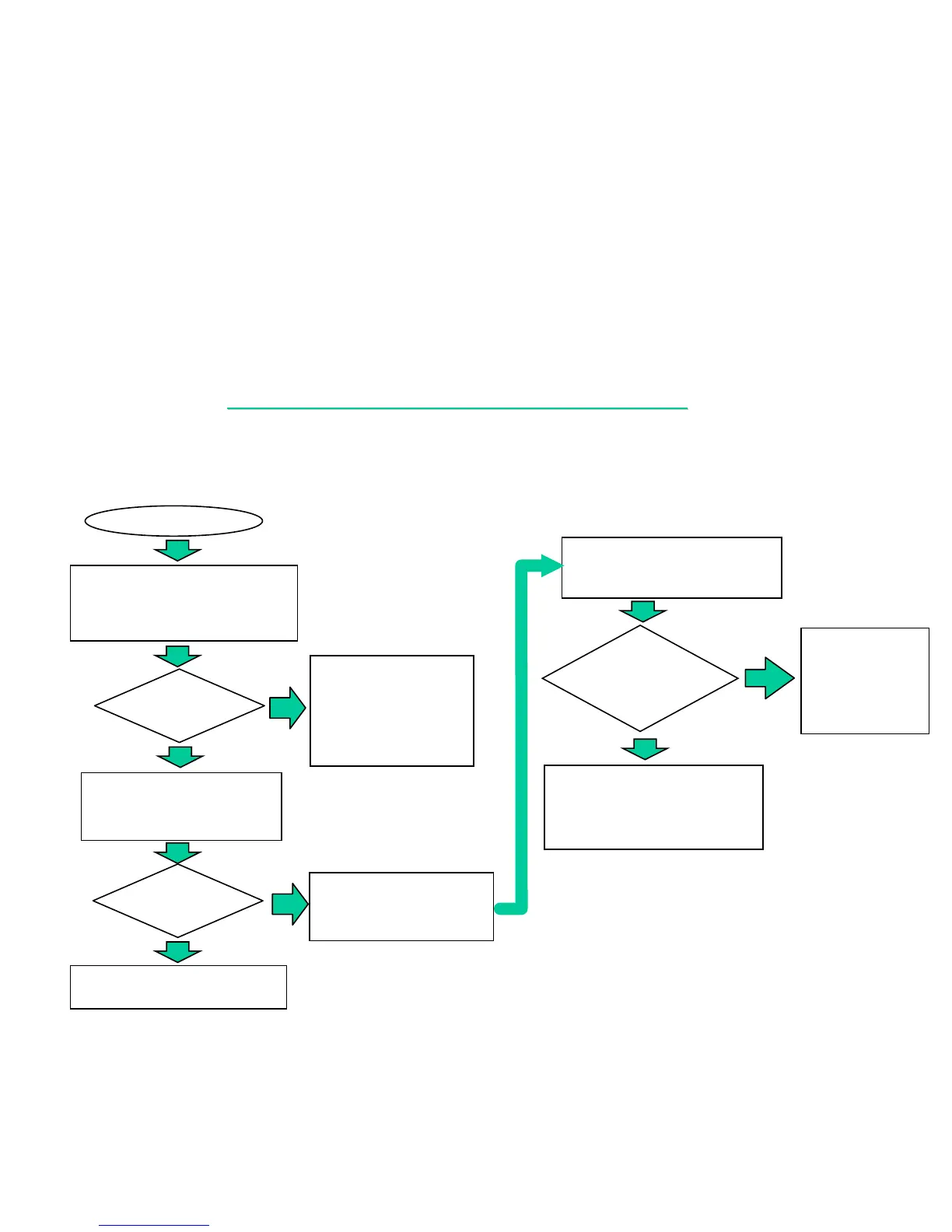
8.2 NO DISPLAY
There is no display on both LCD and monitor
NO DISPLAY
Connect the I/O device
& cables to the system
one at a time to find out
the faulty parts then
replace and end.
YES
NO
Reboot
and display
OK?
YES
Replace motherboard or into
board-level Troubleshooting.
NO
Reboot
and display
OK?
Plug PIO debug board to PIO
port and get the 378h error code.
Is there
any error code
shown on debug
board ?
Check system clock or reset
circuit and major chip for any
cold solder.
NO
YES
1. Check if power system is O.K .
2. Remove all the I/O device
from system.
Refer to the error
code description
and find out the
error.
Check switch setting or replace
a known good battery.
Replace the faulty parts then end.


 To Next Page