62
7521
7521
Plus / N N/B MAINTENANCE
Plus / N N/B MAINTENANCE
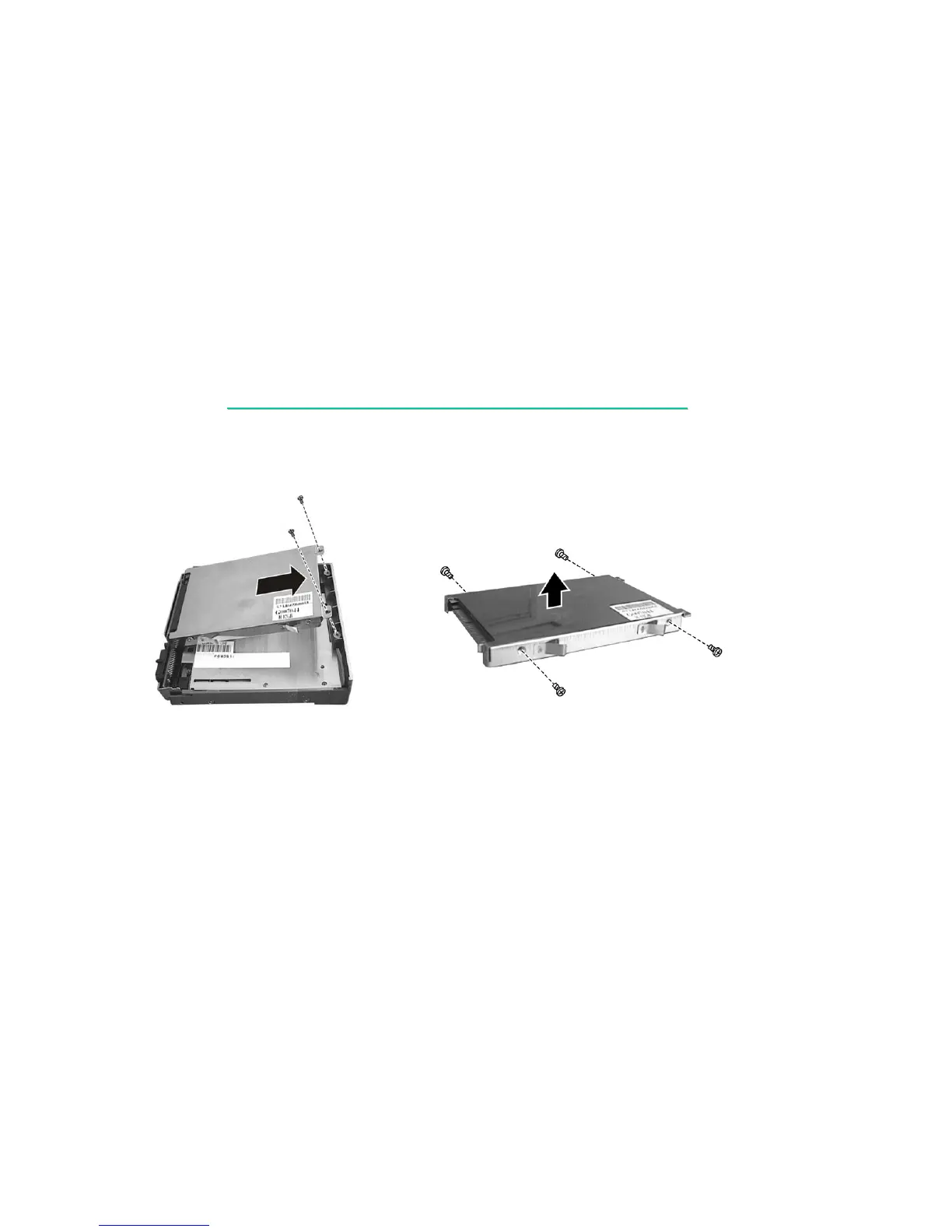
3. To take the hard disk drive apart, remove two screws of the hard disk. Then lift the hard disk up
and unplug the connector to remove it. (figure 2-9)
Figure 2-9 Figure 2-10
4. Remove four screws to separate the hard disk drive from the metal shield. (figure 2-10)
Reassembly
1. To install the hard disk drive, place it in the bracket and secure with four screws.
2. Connect the hard disk to the connector on the FDD/HDD module and secure with two screws.
3. Slide the FDD/HDD module into the compartment and secure with one screw.


 To Next Page