73
7521
7521
Plus / N N/B MAINTENANCE
Plus / N N/B MAINTENANCE
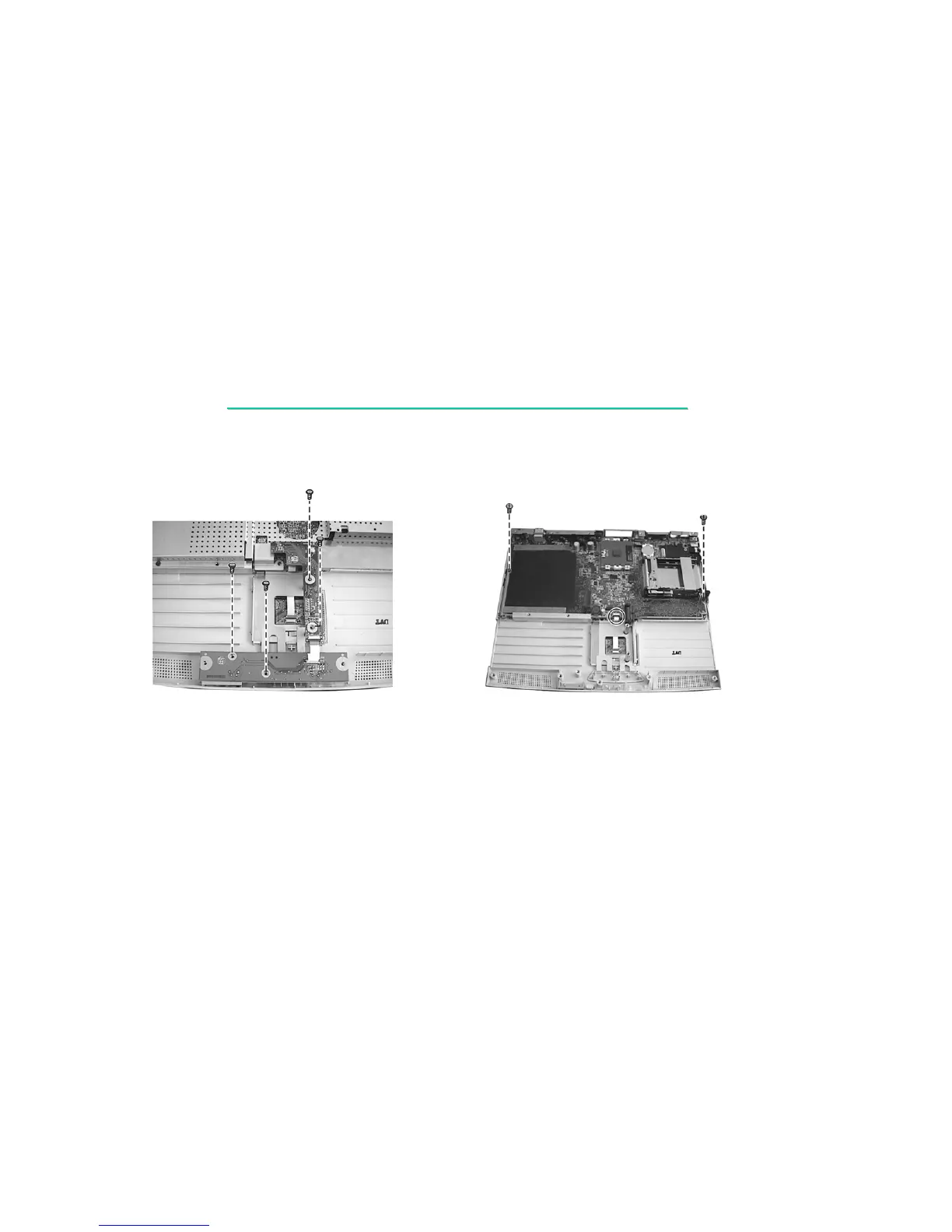
8. Remove four screws to take the recharge board apart. (figure 2-25)
Figure 2-25 Figure 2-26
9. Remove two screws fastening the system board and disconnect the cable of the touchpad.
Now you can lift the system board up from the base unit. (figure 2-26)
Reassembly
1. Fit the system board into place and secure with two screws.
2. Reconnect the touchpad’s cable.
3. Replace the metal shield and secure with six screws and two hexnut screws.
4. Replace the recharge board and secure with four screws.
5. Replace the speaker assembly and reconnect the cable.


 To Next Page