MICRO 8
Installation and user manual
Page 19 of 24
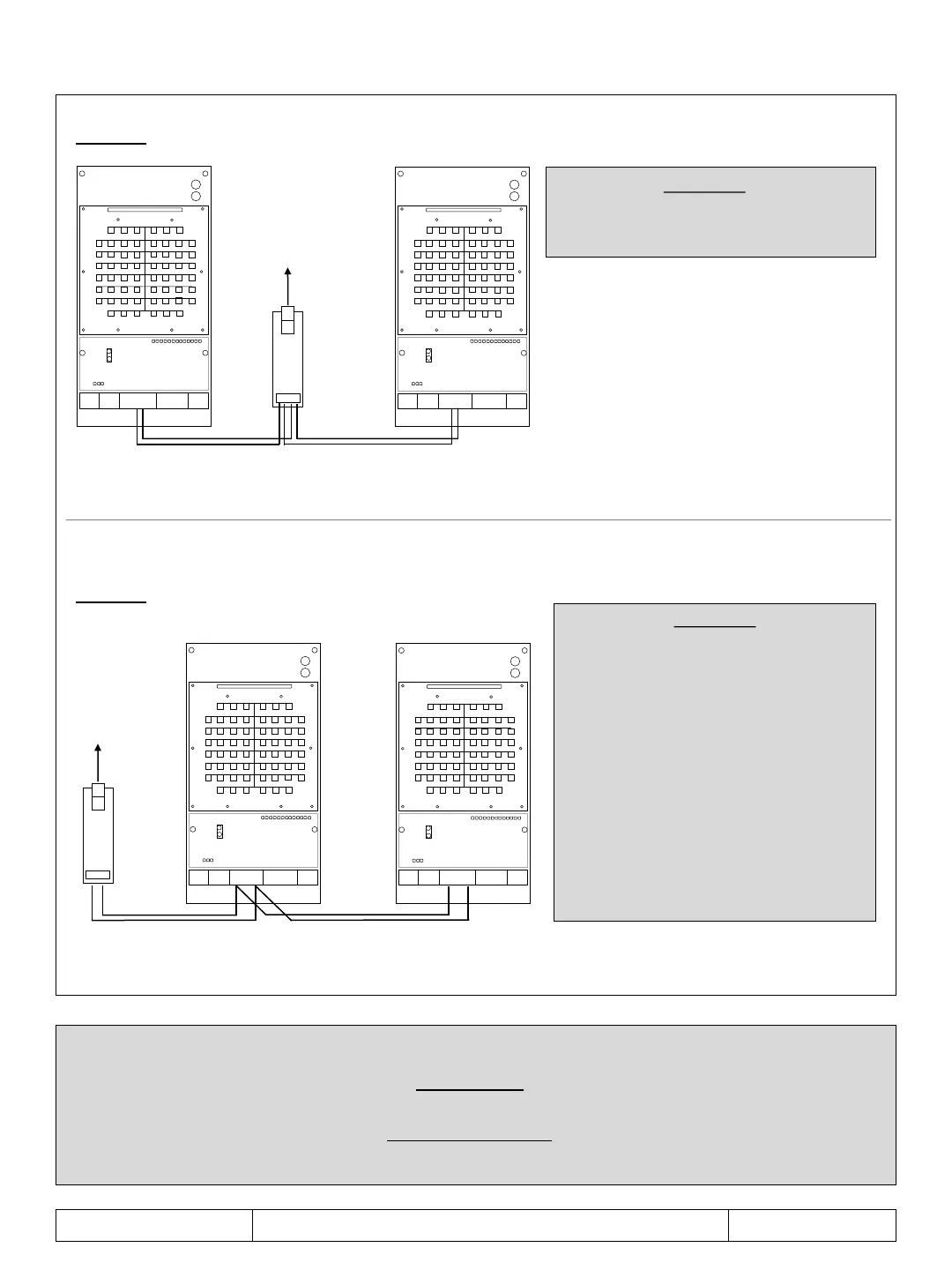
options - RS485-USB adapter
MODULE
IMPORTANT
For all connections it is necessary to respect the following connection diagram:
A with A - B with B
MODULE
RS485 RS485
USB
PC
TERM
TERM
USB
PC
MODULE
RS485
TERM
MODULE
RS485
TERM
IMPORTANT
In the first and last modules connected,
insert the TERM jumper
IMPORTANT
Using an adapter with
120 Ohm fixed termination
(measurable value between pins A - B)
insert the TERM jumper
in the last connected module.
Using a terminated adapter
selectable set the value of 120 Ohm
and insert the TERM jumper
in the last connected module.
Using an adapter without termination,
insert a resistor
from 120 Ohm between pins A - B
and insert the TERM jumper
in the last connected module.



 To Next Page