Keys, display, and menu guidance
Mitel 6920 SIP 25
eud-1763/2.0 – R6.0 – 06.2018
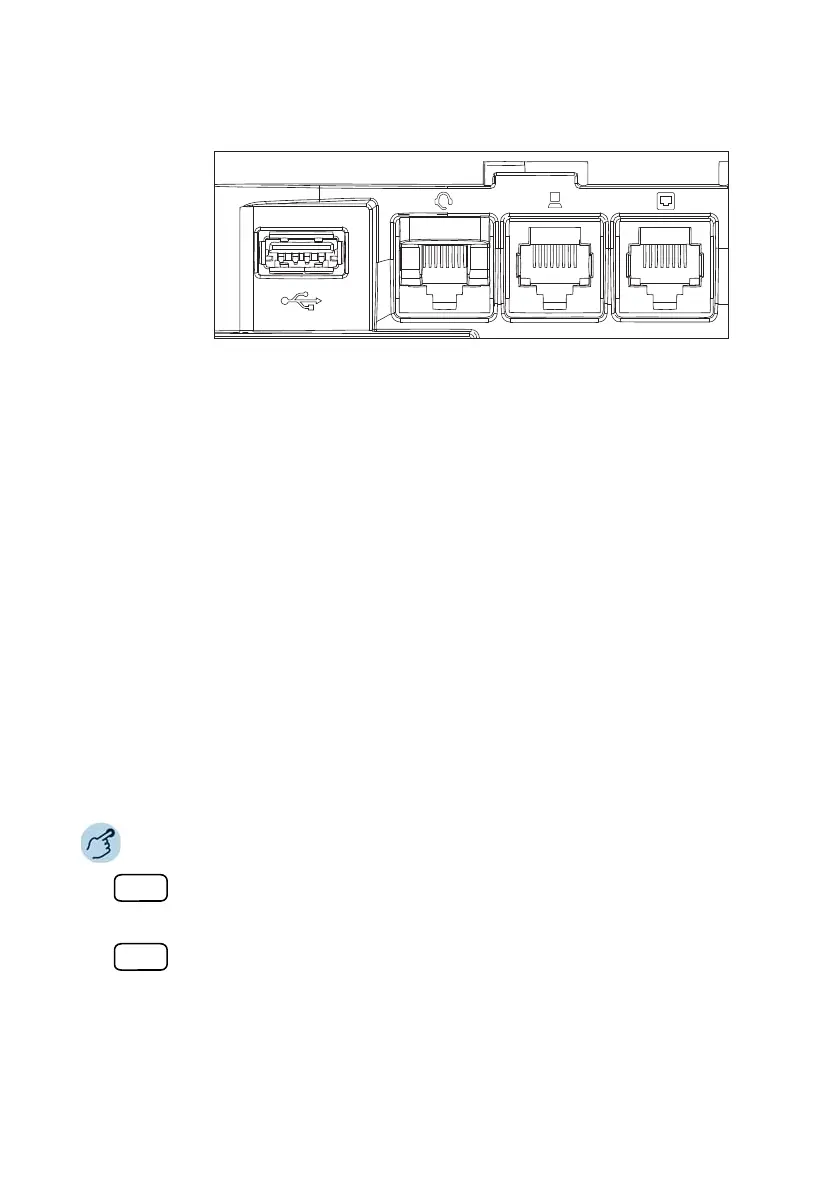
Contact your telephone equipment retailer or distributor to purchase a
compatible headset.
Keypad Mitel K680
You can connect a magnetic keypad to your phone in order to simplify text
input. The Mitel K680 has the following properties:
• The keyboard can be connected and removed magnetically.
• The keyboard connection is available in three versions:
– QWERTY (Mitel K680 QY),
– QWERTZ (Mitel K680 QZ),
– AZERTY (Mitel K680 AY).
• The phone supplies power to the keypad.
Notes: • Mitel K680 settings in the menu are only available if a Mitel K680 is con-
nected.
• The Mitel K680 is a local module and is not controlled via the MiVoice
Office 400 communication system.
Pressing a letter on Mitel K680:
Press any letter.
➔Directory Lookup is now activated.
Pressing digits on Mitel K680:
Press any digit.
➔Call preparation is now activated.



 To Next Page