14 Mitel 6930 SIP
eud-1764/2.1 – R6.0 – 10.2018
Keys, display, and menu guidance
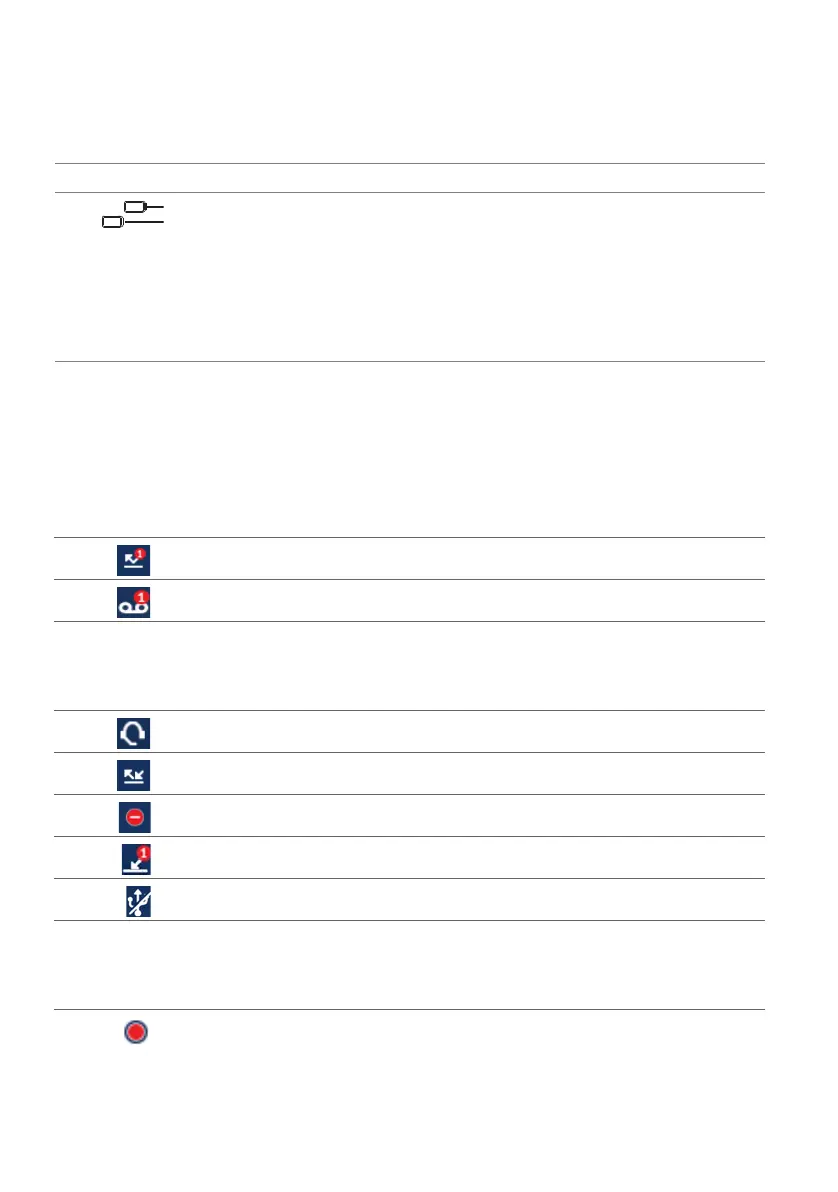
Display symbols
20 Speaker
21 Left/right programma-
ble keys T1-T44 with
LED
Twelve freely configurable keys that can be set up
for various functions, call numbers, or busy lamp
fields. If more than twelve functions, call numbers,
or busy lamp fields are configured, the bottom key
is used to switch levels. The next levels give
access to functions or call numbers on keys on or
above key twelve. The LED associated with the
key indicates the functional state.
1)
depending on the configuration
No
.
Key icon Key name Description and Usage
Status bar
Missed calls
New voice message
Note: If there are more than nine missed calls, the number of missed calls are dis-
played as exclamation mark. The exclamation mark is also displayed in special
circumstances, for example, if there is a voice mail message or a notification /
call back request.
Headset connected
Unconditional call forwarding activated
Do not disturb (if busy)
Operator queue
USB deactivated
Note: The icon USB deactivated is displayed when the phone is powered using Power
over Ethernet or if one or more expansion key modules are connected. In order
to be able to use the USB connection, you must power your phone using PoE+
or the power supply available as an option.
Call recording activated



 To Next Page