Applications
Contacts
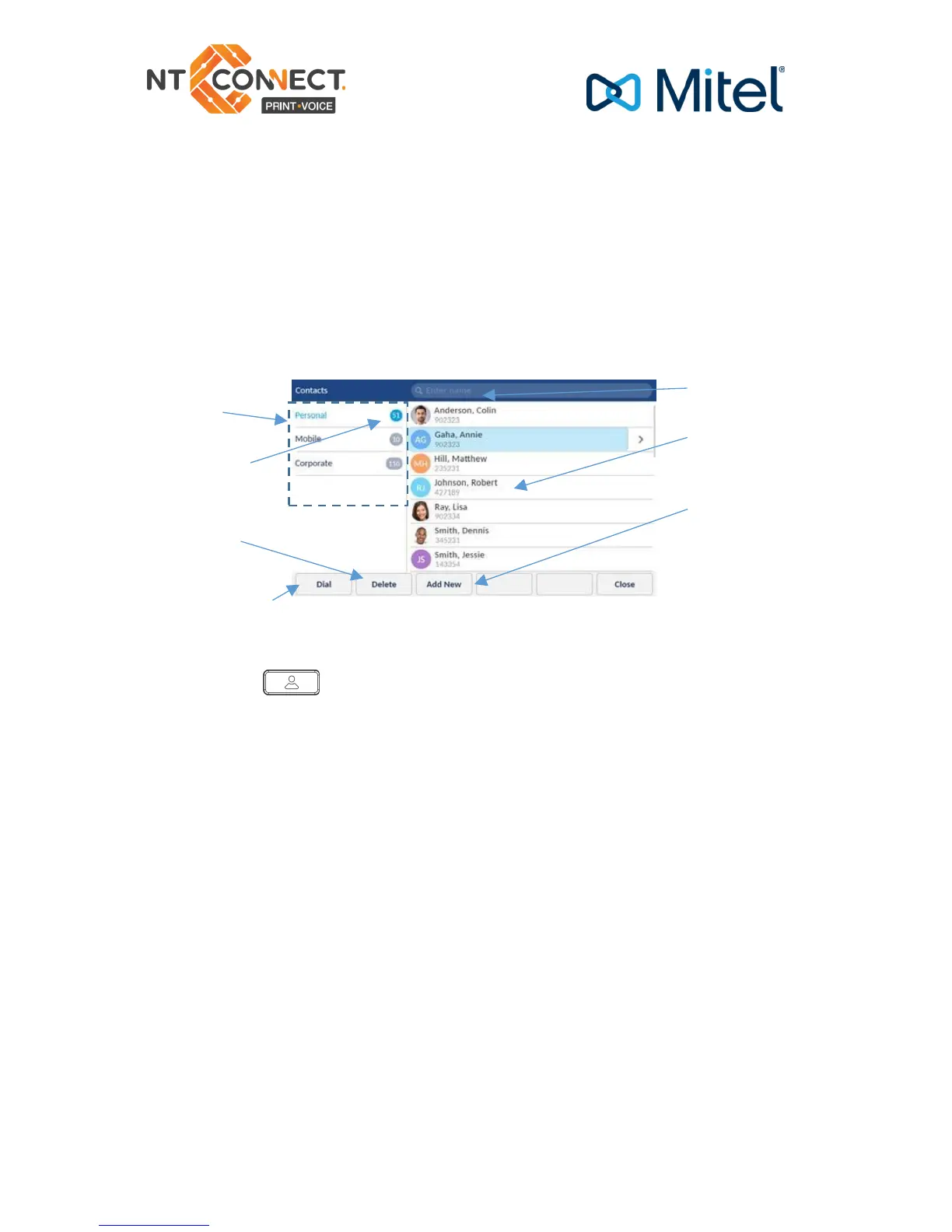
The Contacts application stores personal phone book and directory
information. The Mitel MiVoice 6940 IP Phone supports a localised
Personal directory, interoperability with LDAP (corporate) directories,
and enhanced MobileLink functionality, which allows you to sync your
mobile contacts with your 6940 IP Phone.
Making a call using the contacts applications
1. Press the key to access the Contacts application.
2. Navigate to the respective contacts folder and scroll through the
contacts by using the navigation keys
or
Enter characters using keypad and press the Search softkey to use the
search feature.
3. When the applicable contact is highlighted, press the Select button
or Dial softkey to place a call using the entries default phone number
or
To place a call to a different phone number defined for the entry (for
example, a mobile number), press the right navigation key, highlight the
phone number you want to call using the up or down navigation keys,
and press the Select button or Dial softkey.



 To Next Page