EasyManua.ls Logo

Mitel 6940 - User Interface Overview; Home Screen; Call Screen

Mitel 6940
15 pages
Print Icon
To Next Page IconTo Next Page
To Previous Page IconTo Previous Page
Loading...
User Interface Overview
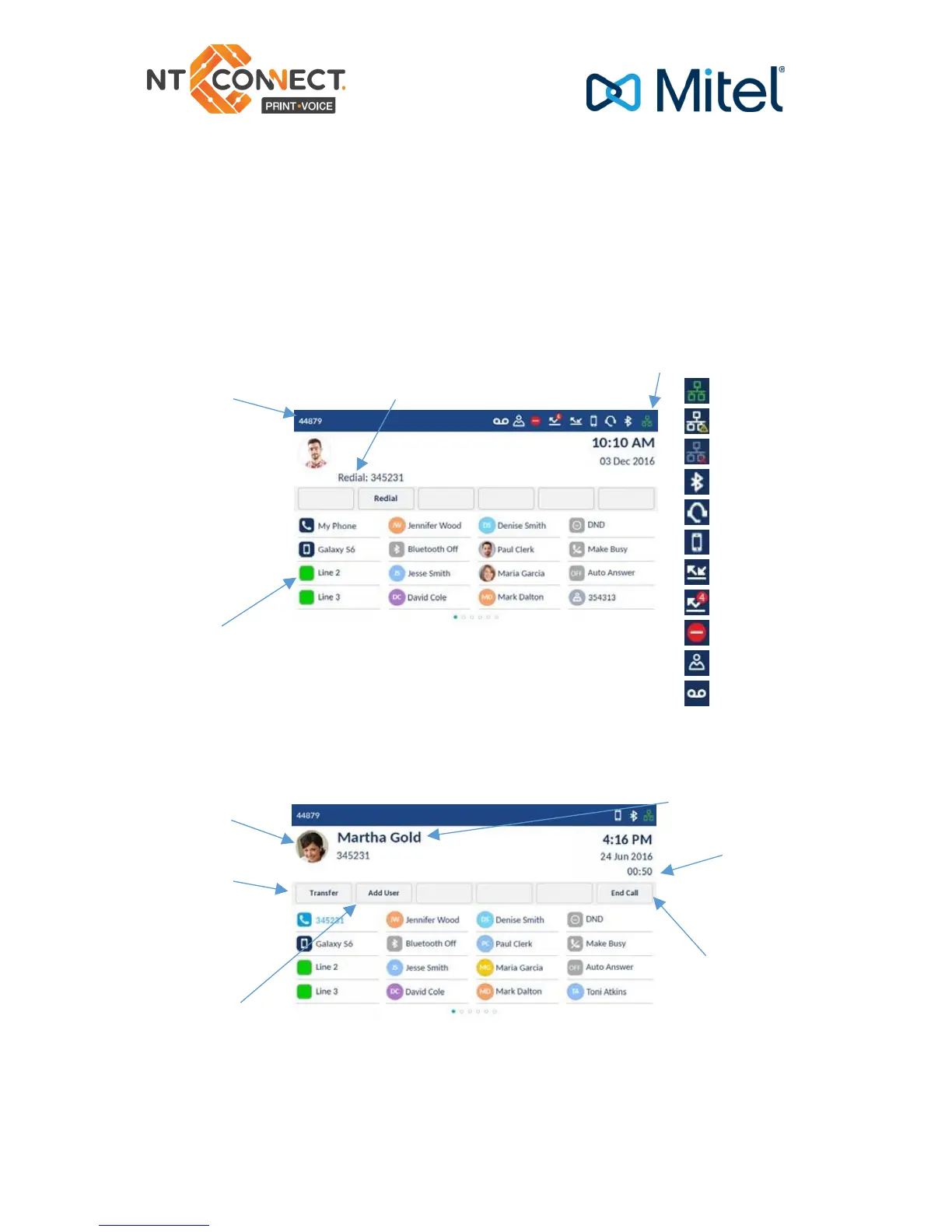
Home screen
The Home (Default) Screen is displayed when the phone is in the idle
state. The Home Screen displays status indicators, user directory
number, avatar, last dialled number, time, date, and list of
programmable softkeys.
Call screen
When on an active call, caller’s avatar, name, number,
and call duration timer is displayed. The context-sensitive softkeys are
updated with applicable call handling features.

Programmable Keys
End Call
Softkey
Caller ID
Call Timer
Avatar
Conference
Softkey
Last Number Dialed
Your Directory
Number
Status Indicators
Network Connected
Network Connecting
Disconnected
Bluetooth Enabled
Headset Connected
Mobile Connected
Call Forward Always
Missed Calls
Do Not Disturb
Hotdesk User
Voicemail Pending

Other manuals for Mitel 6940

Related product manuals