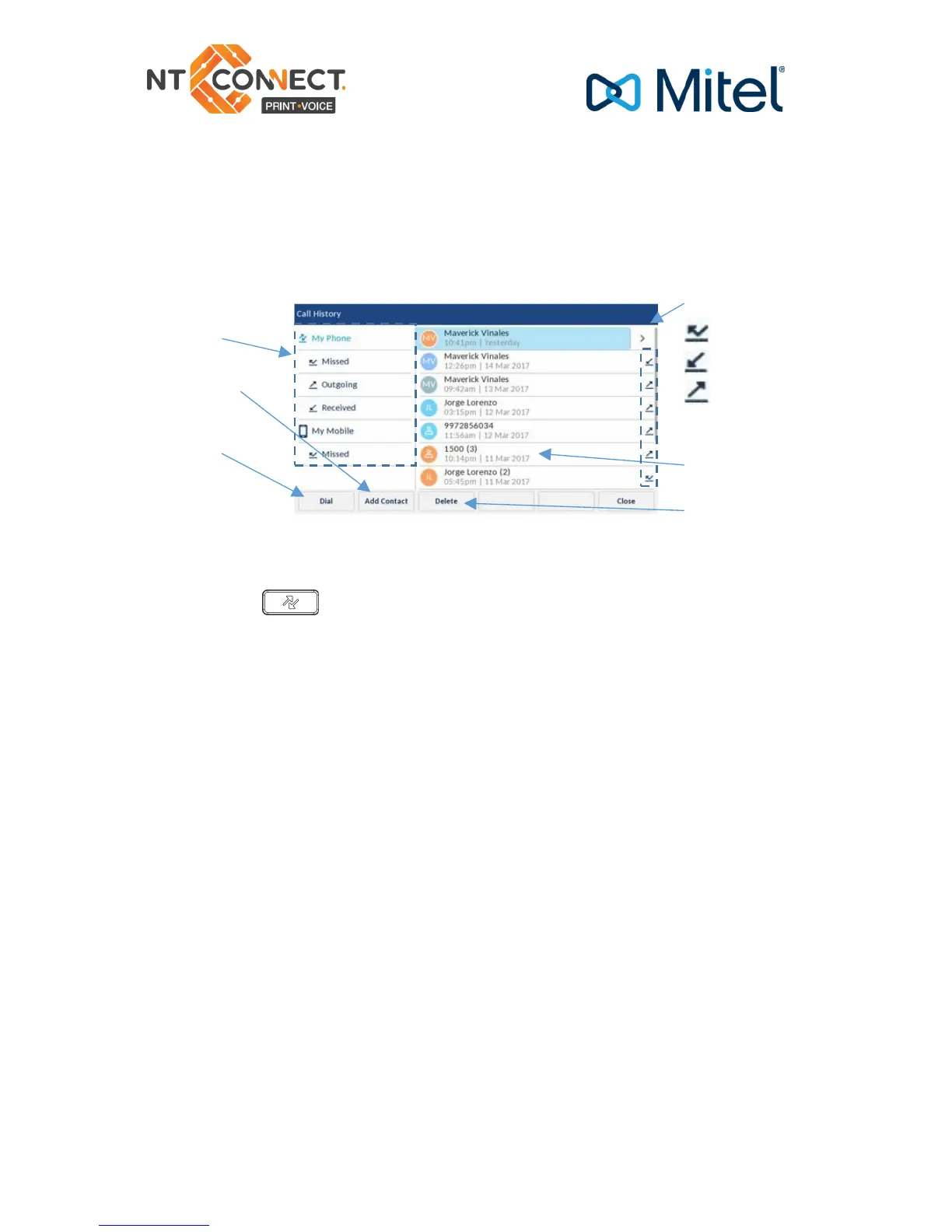
Call history
The Call History application displays a list of your missed, outgoing,
and received calls as well as My Mobile and Missed calls. You can
view, delete, and dial out to call history entries as well as copy entries
to the Contacts application.
Using the call history application
1. Press the key to access the Call History application
2. Scroll through the lists by using the navigation keys. To view
additional entry details, press the Right navigation key when the entry
is highlighted.
3. Press the Select button or Dial softkey to place a call to the
respective entry
or
Press the Add Contact softkey to copy the entry to your Contacts
application
or
Press the Delete softkey to delete the entry from your Call History.



 To Next Page