32/1531-ANF 901 43 Uen B2 2016-04-01
Installation Guide
Base Station
6
Software
The software in the IPBS4x2 can be updated by downloading new software without
disconnecting the equipment. The new software is stored in flash memory. For
information on how to update the software in the IPBS4x2, see the applicable
Installation and Operation Manual for the IPBS4x2.
Connectors
• Two 8-pin RJ45 modular jacks for LAN/PoE and powering
LEDs
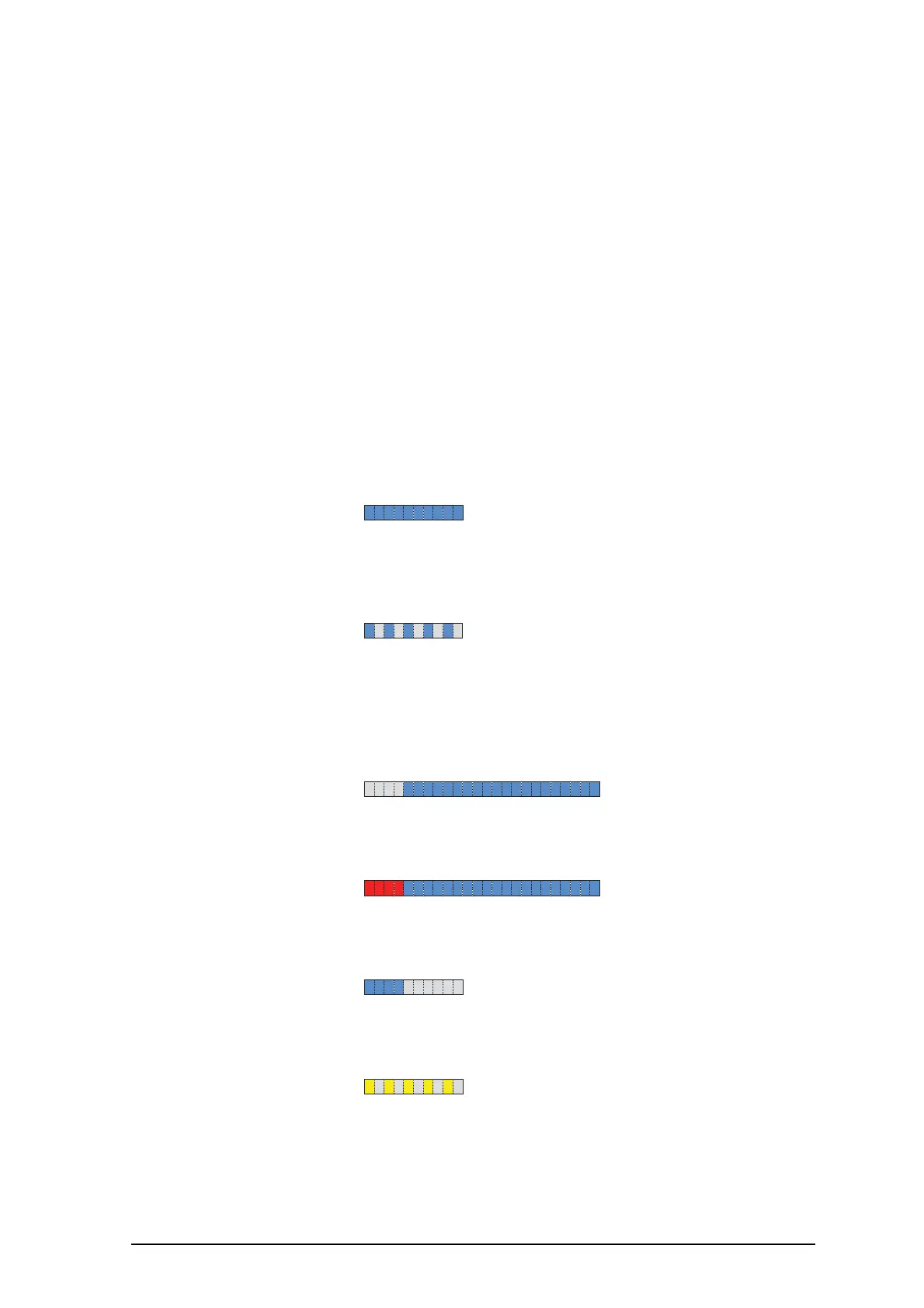
The IPBS4x2 has one RGB LED to indicate status. This section describes the different
indications and when they shall be used. In the illustrations below: Each blink pattern is
represented by a number of blocks where each block is 100 ms. Light grey blocks
means that the LED is off. Whenever the indication is changed the new pattern always
starts from the first block.
Idle/OK Solid blue. IPBS4x2 operational and
no traffic on the IPBS4x2.
Starting up/
searching
100 ms blue, 100 ms off. The IPBS4x2 is in start-up
phase, e.g. waiting for
parameters from PARI
Master, or is searching for
air synchronization, or the
radio is disabled.
Active traffic 400 ms off, 2000 ms blue. IPBS4x2 operational and
traffic on the IPBS4x2.
Fully occupied
for speech traffic
400 ms red, 2000 ms blue. Fully occupied with traffic.
Software
download
400 ms blue, 600 ms off. Download of firmware in
progress.
Mini firmware 100 ms yellow, 100 ms off. The IPBS4x2 is in mini
firmware mode.



 To Next Page