EasyManua.ls Logo

Mitel Remote - User Manual

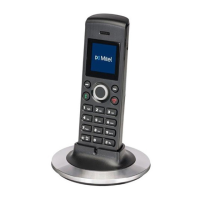
Mitel Remote
13 pages
Print Icon
To Next Page IconTo Next Page
Loading...
Mitel Remote IP
Phones: Conguration
Guide
Version 4.0
0330 333 7323 | www.denwa.uk.com
W I N N E R
ME DI UM S IZ ED
BU SI NE SS O F THE YEAR

Questions and Answers

  • M
    Marie GuerraJul 27, 2025
    Why does my Mitel Remote IP Phone say 'CONNECTION REFUSED CONTACT TW ADMIN'?
    • C
      Cheryl HernandezJul 27, 2025
      This message appears because your IP phone is not authorized to use the Teleworker Solution. Your administrator needs to enable your IP phone to resolve this issue.
  • A
    Alexis GreenAug 11, 2025
    What to do if my Mitel Remote IP Phone displays 'TW LICENSE REQUIRED CONTACT TW ADMIN'?
    • R
      Ronnie JohnsonAug 11, 2025
      This message indicates that there are not enough licenses available for your remote IP phone. To resolve this, your administrator needs to contact your Mitel Solution Provider to acquire additional Teleworker Solution licenses.

Summary

Supporting Documentation

About your Remote IP Phone

Remote IP Phone Capabilities

Overview of the features and functions of remote IP phones when used with the Teleworker Solution.

Configuring your Remote IP Phone

Getting Started

Essential preliminary steps before configuring remote IP phone setup and operation.

Configuring Physical IP Phones

Step-by-step instructions for configuring various Mitel IP phone models for remote Teleworker operation.

Configuring Softphone and VFA

Guidance on configuring Your Assistant softphone and Voice First Application for remote use.

Troubleshooting

IP Phone Error Messages

Detailed explanations of common error messages for the Teleworker Solution and their resolution steps.

Glossary

Mitel Remote Specifications

General IconGeneral
BrandMitel
ModelRemote
CategoryIP Phone
LanguageEnglish

Related product manuals