Changing channels (cont.)
bImportant:
using the QuickView TM option
_0
O00LQ
ooou
ooo
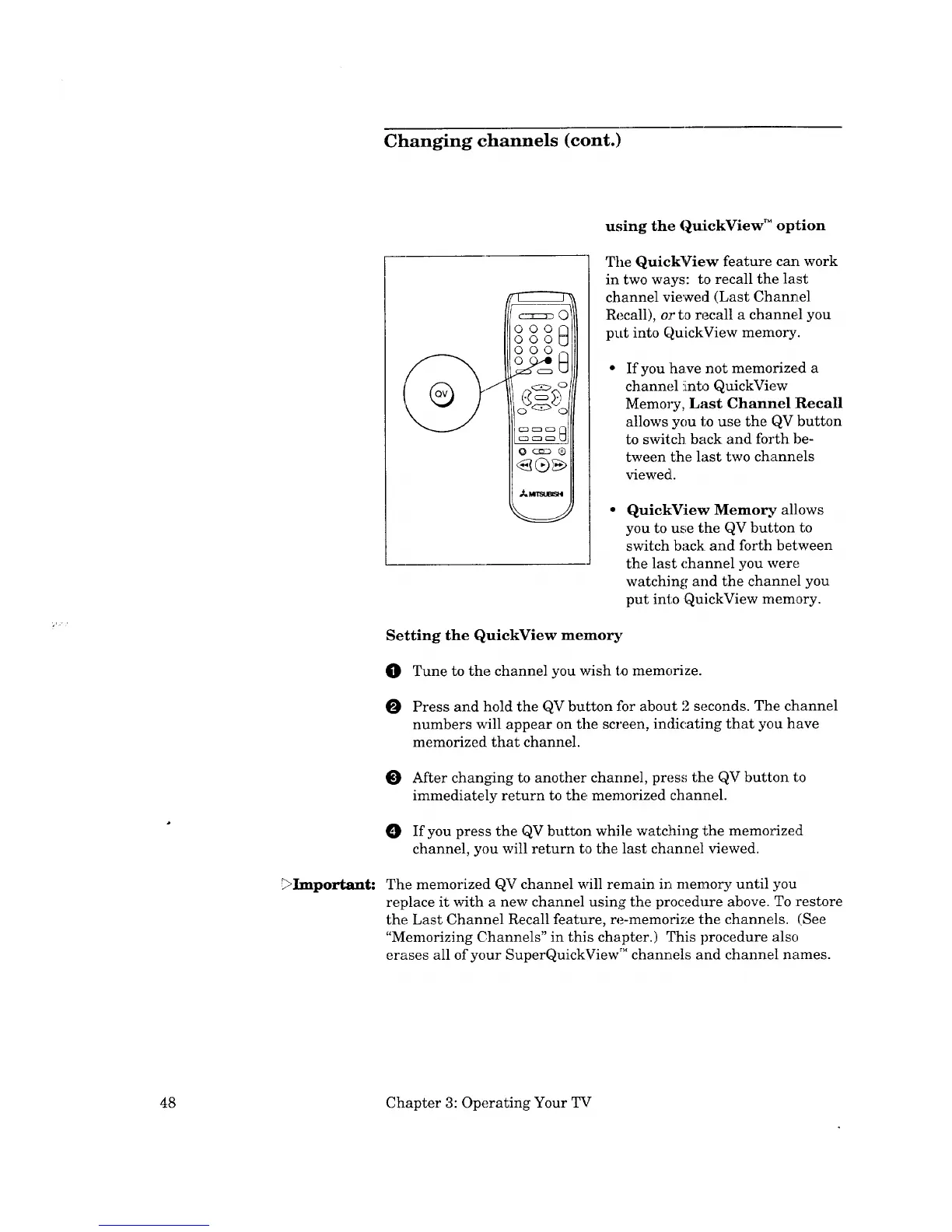
The QuickView feature carl work
in two ways: to recall the last
channel viewed (Last Channel
Recall), or to recall a channe.1 you
put into QuickView memory.
If you ihave not memorized a
channel !into QuickView
Memory, Last Channel Recall
allows you to use the QV button
to switch back and forth be-
tween the last two channels
viewed.
QuickView Memo_ allows
you to use the QV but;ton to
switch back and forth between
the last channel you were
watching and the channel you
put into QuickView memory.
Setting the QuickView memory
0 Tune to the channel you wish to memorize.
Press and hold the QV button for about 2 seconds. The channel
numbers will appear on the screen, indicating that you have
memorized that channel.
O After chan_ng to another channel, press the QV button to
immediately return to the memorized channel.
0 If you press the QV button while watching the memorized
channel, you will return to the last chan:nel viewed.
The memorized QV channel will remain in memory until you
replace it with a new channel using the procedure above. To :restore
the Last Channel Recall feature, re-memorize the channels. (See
"Memorizing Channels" in this chapter.) This procedure also
erases all of your SuperQuickView TM channels and channel names.
48 Chapter 3: Operating Your TV



 To Next Page