Customizing the A/V Memory position (cont.)
SKIN-TONE adds warmth and red tones to the picture.
is used to control the closed caption decodc_r. For details, see
"Using the closed caption decoder" in this chapter.
adjusting the video functions
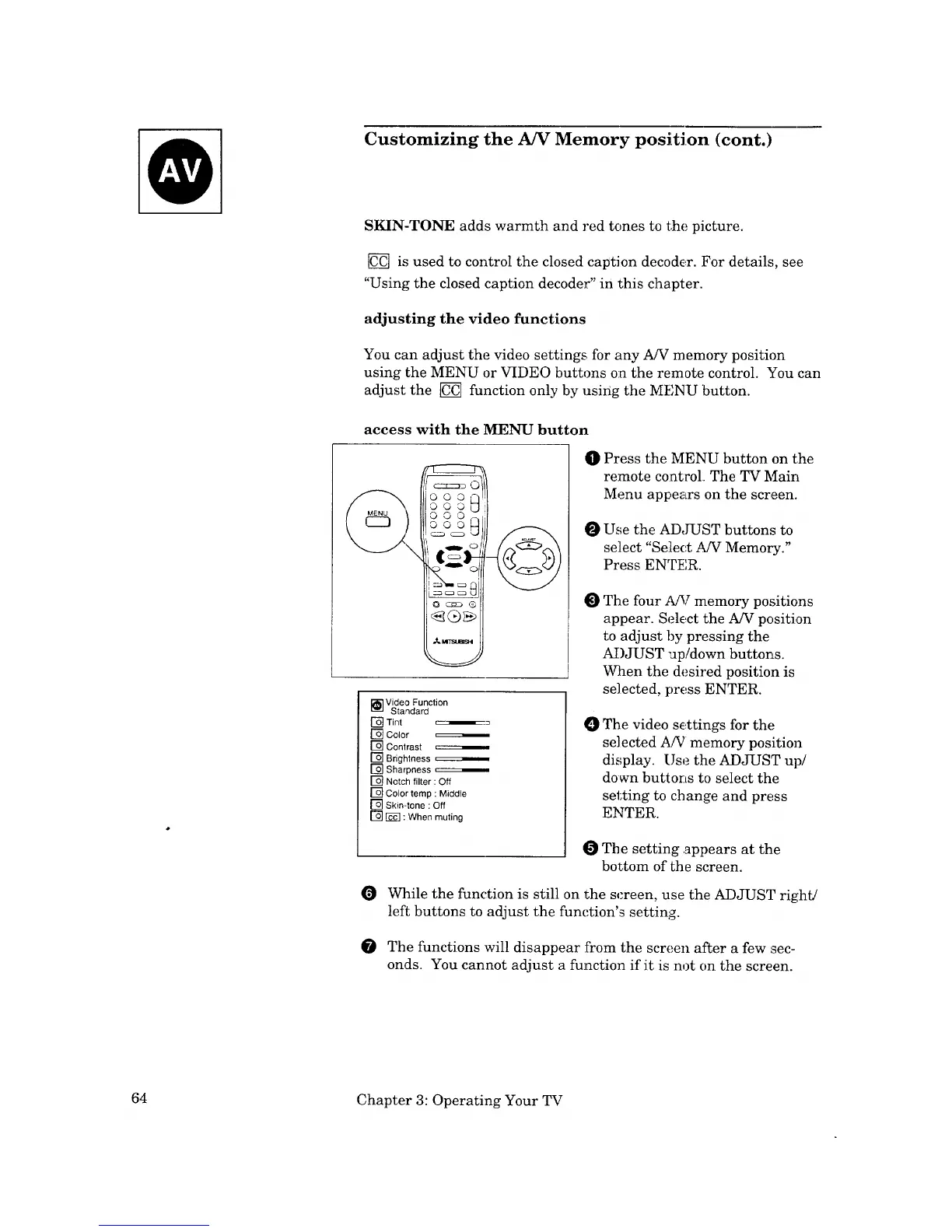
You can adjust the video settings for any A/V memory position
using the MENU or VIDEO buttons on the remote control. You can
adjust the _ function only by using the MENU button.
access with the MENU button
_©
oooN
ooo_
O O O r-,
OOO H
_] Video Function
Standard
[] Tint
[] Color
[] Contrast
[]_ Brightness _
Sharpness
[] Notch filter : Off
[] Color temp : Middle
[] Skin-tone : Off
[] _ : When muting
O Press the MENU button on the
remote control The TV Main
Menu appears on the screen.
O Use the ADJUST buttons to
select "Seiiect A/V Memor:y."
Press ENTER.
O
The four A!V memory po,_itions
appear. Select the A/V position
to adjust by pressing the
ADJUST "Jp/down buttons.
When the desired position is
se]ected, press ENTER.
0 The video s_ttings for the
selected A/V memory position
display. Use the ADJUST up/
down buttons to select the
setting to change and press
ENTER.
The setting .appears at the
bottom of the screen.
O While the function is still on the screen, use the ADJUST right/
left buttons to adjust the function's setting.
The functions will disappear from the screen after a few sec-
onds. You cannot adjust a function if it is not on the screen.
64 Chapter 3: Operating Your TV



 To Next Page