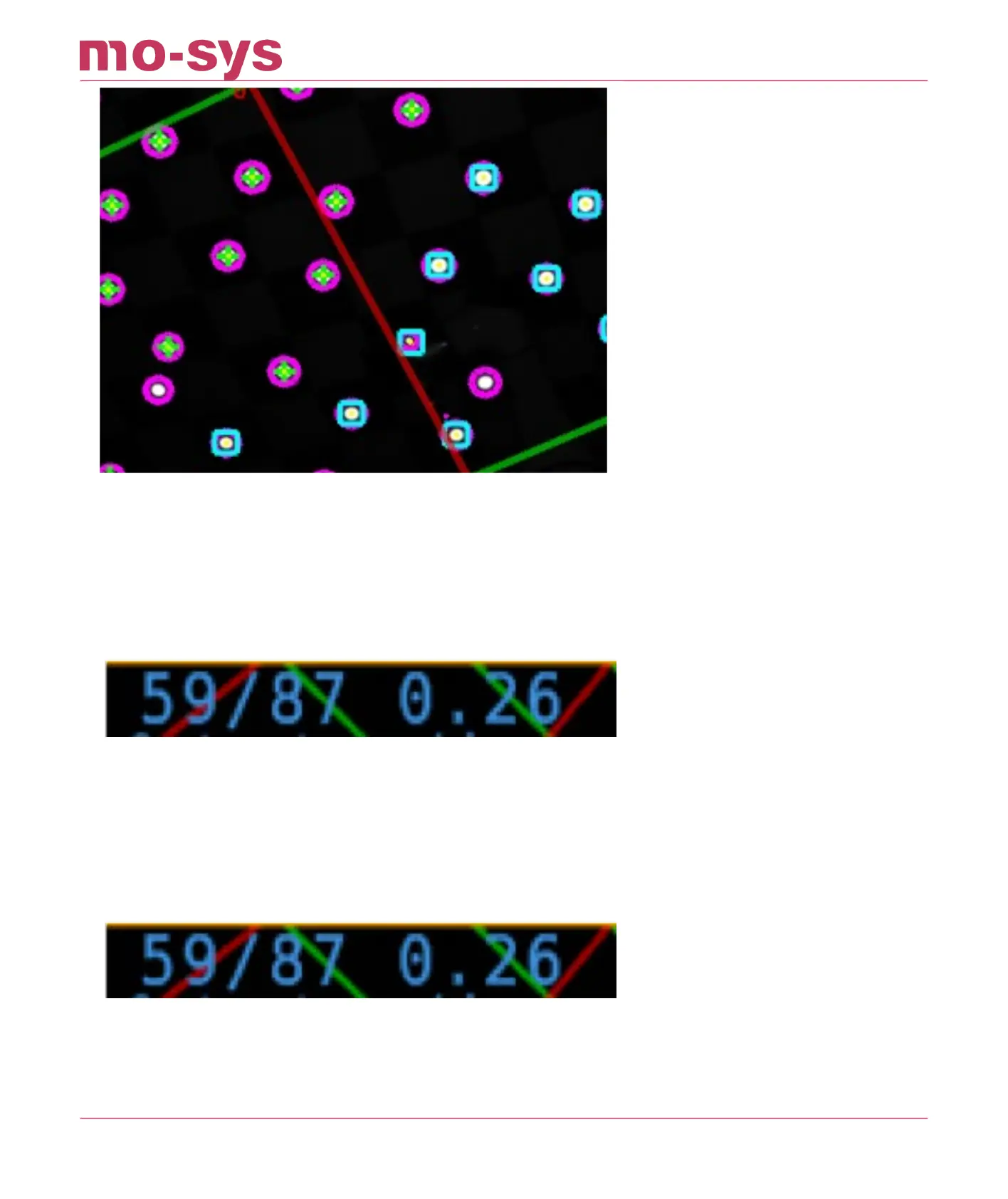
Seen here stars are initially discovered as cyan squares but once integrated will morph into
green rings. To make them part of the map move/walk around. Once the vast majority (90%) of
the stars have green crosses like shown above and you have covered most of the studio oor
the map is ready to use
Save and load the map.
Number of stars associated with star map (here 59)/number of stars detected in the image (here
87). The last number indicates tracking quality. To be able to add new stars the last number
must be below 2 (here 0.26). The closer to 0 the better.
In the picture below you can see two indicators which indicates total number of found stars
516Pts.
Also, pay attention to the keyframes (kf/Fnumber). It indicates the number of frames. It should
increase when you move around. Even if all the stars have been captured you should still try to
increase the F-Number. It is possible that you have captured all the stars, but it still shows
optical acceptable or unreliable or just looses the map completely. This is often due to a too low
StarTracker Max Manual
2023 - 2024 © Mo-Sys Engineering Ltd. All rights reserved 24 of 70



 To Next Page