F-number. A good F-Number is roughly a third of the star number. Not to be confused with F-
Stop.
To increase the F-number show the stars from dierent heights and angles.
When you nished mapping the area, save the map. An asterisk (*) will appear next to the map
name at the top if the map has unsaved changes. To save hit shortcut S or click Save Map then
Y to conrm.
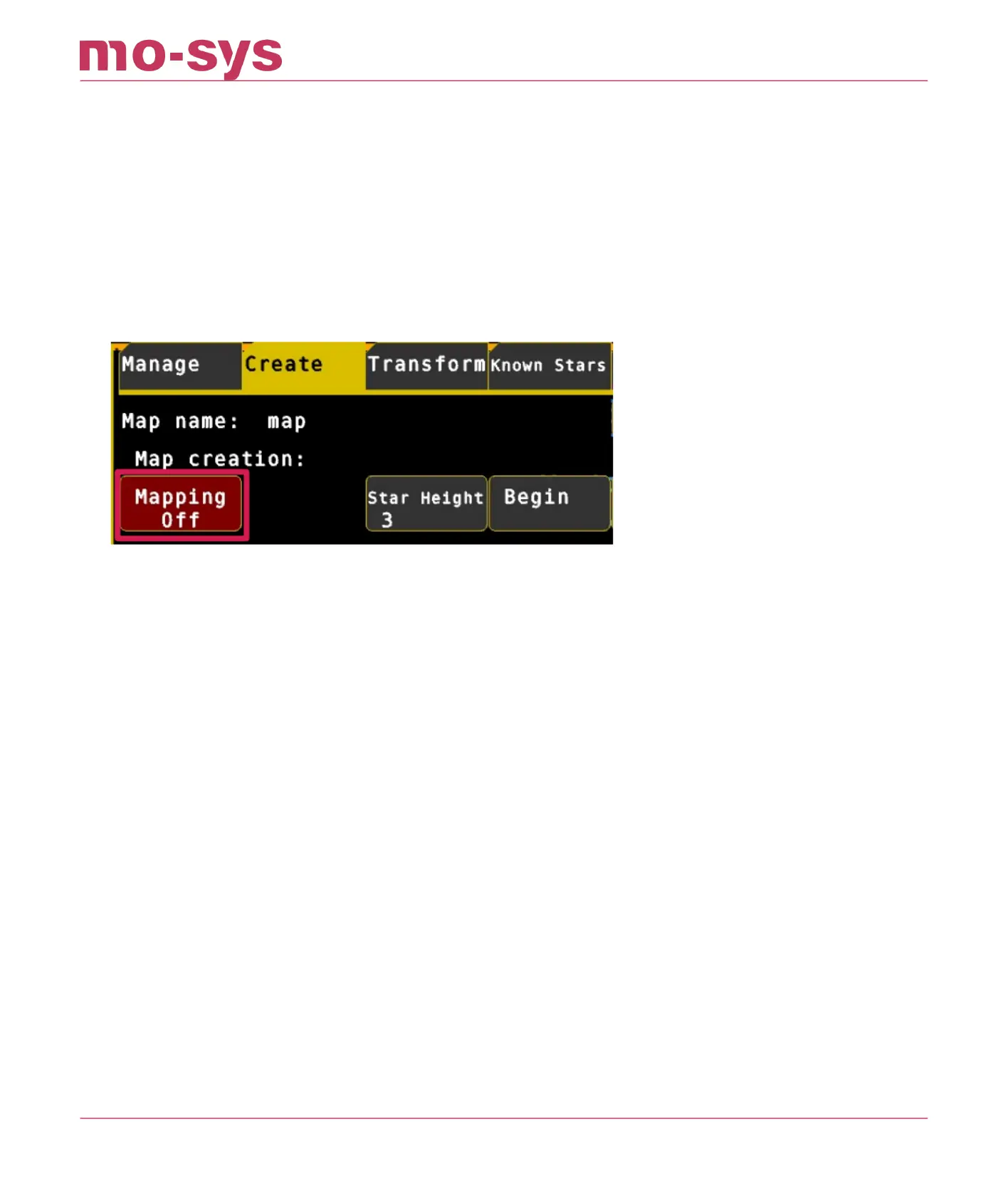
Next turn o mapping. Go to Mapping → Create and turn Mapping o (button will become red). It
is best for performance and predictability to have mapping o unless you are mapping an area.
To add a new area to the map, select Mapping On and move around the new area, then save the
map and turn o mapping afterwards.
Every time you have nished mapping, and have saved the map, it must be re-loaded Mapping
→ Manage , click Load then Y to conrm) to ush partially-mapped stars. This is important to
ensure the system will only track well-triangulated stars for the best tracking accuracy. You will
see the number of “pts” (points) on the top right corner go down – this is normal.
StarTracker Max Manual
2023 - 2024 © Mo-Sys Engineering Ltd. All rights reserved 25 of 70



 To Next Page