Mobileye Proprietary and Confidential
support@mobileye.com
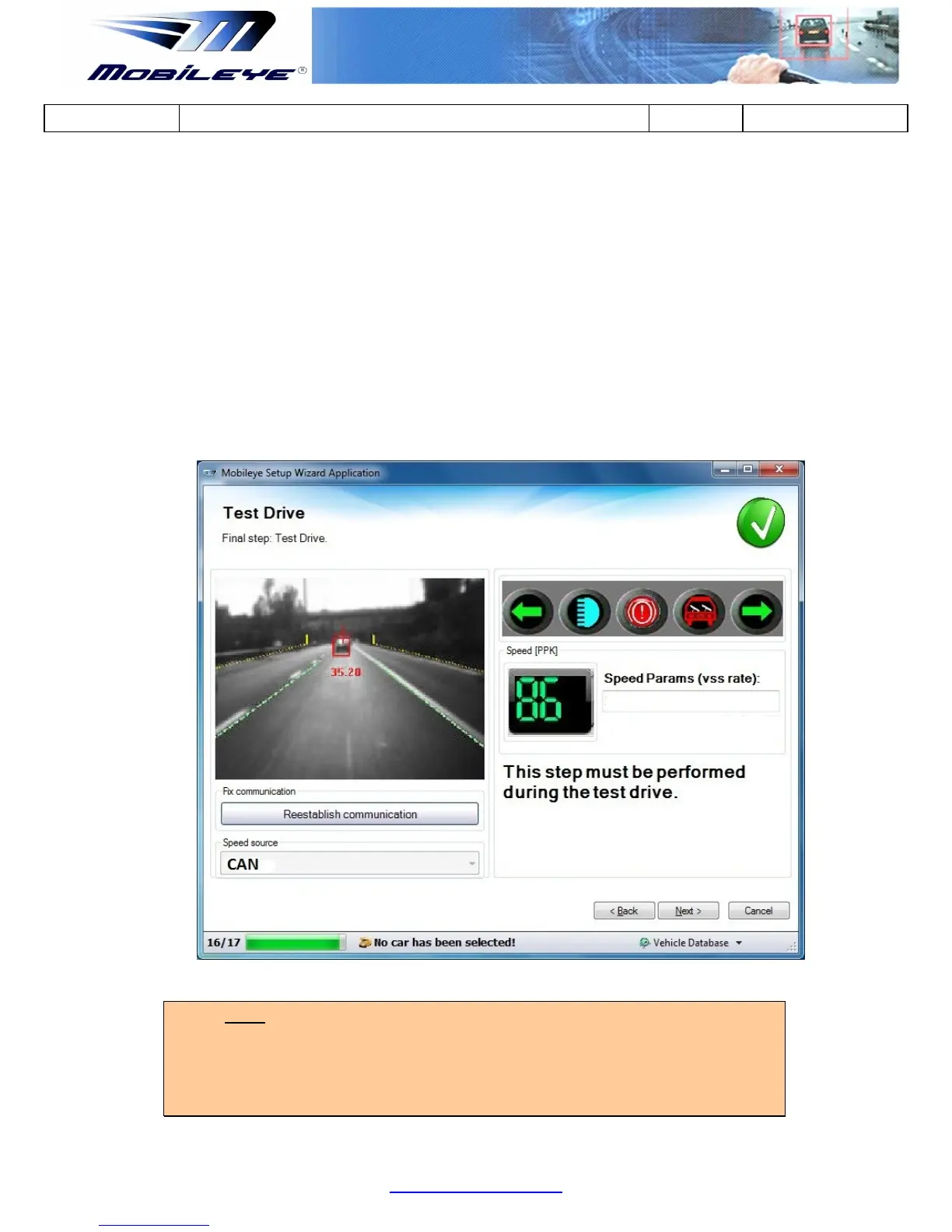
4. Turn on your vehicle High Beams signal: the High Beam signal indicator
should turn Blue.
5. Turn on your vehicle Wipers signal: the Wipers signal indicator should turn
Red/White.
4.3.9.2 Checking the speed indication while driving on the road:
1. Compare the speed indication between the Mobileye 5 system speed (as
displayed in the laptop screen) to that of the host vehicle indicator.
2. Up to 5 km/h difference is allowed.
NOTE:
Please be aware that there is a 2 to 3 second delay between the vehicle speed to the
speed indication in the Mobileye Setup Wizard application. Therefore, the Speed
indication check should be done on the Highway when the vehicle is travelling at a
steady speed of 80 km/h for duration of at least 5 seconds.



 To Next Page