Mobileye Proprietary and Confidential
support@mobileye.com
4.3 Mobileye Setup Wizard – Calibration
Follow the Mobileye Setup Wizard Instructions to complete the Mobileye 5
Calibration Process.
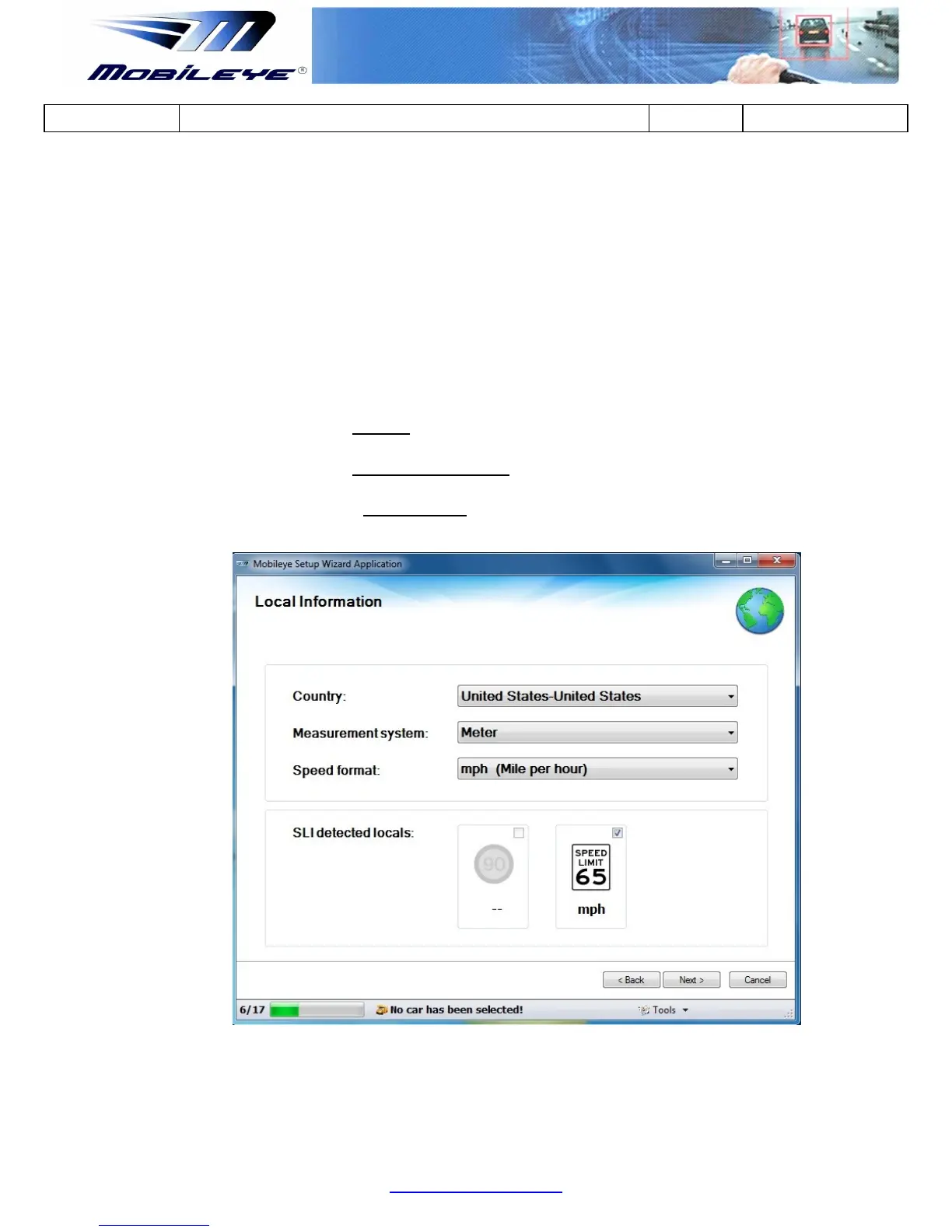
4.3.1 Local Information
In the "Local Information" slide please select the following:
a) Select the Country in which the installation is being done.
b) Select the Measurement system in which you choose to work in.
c) Select the Speed format in which you choose to work with (in
accordance to the measurement system).
The Speed Limit Information (SLI) will be automatically chosen to fit your “Country”
selection.
When done, click “Next”



 To Next Page