90/152
Q25 Camera Manual: Installation
© MOBOTIX AG • Security-Vision-Systems • Made in Germany
www.mobotix.com • sales@mobotix.com
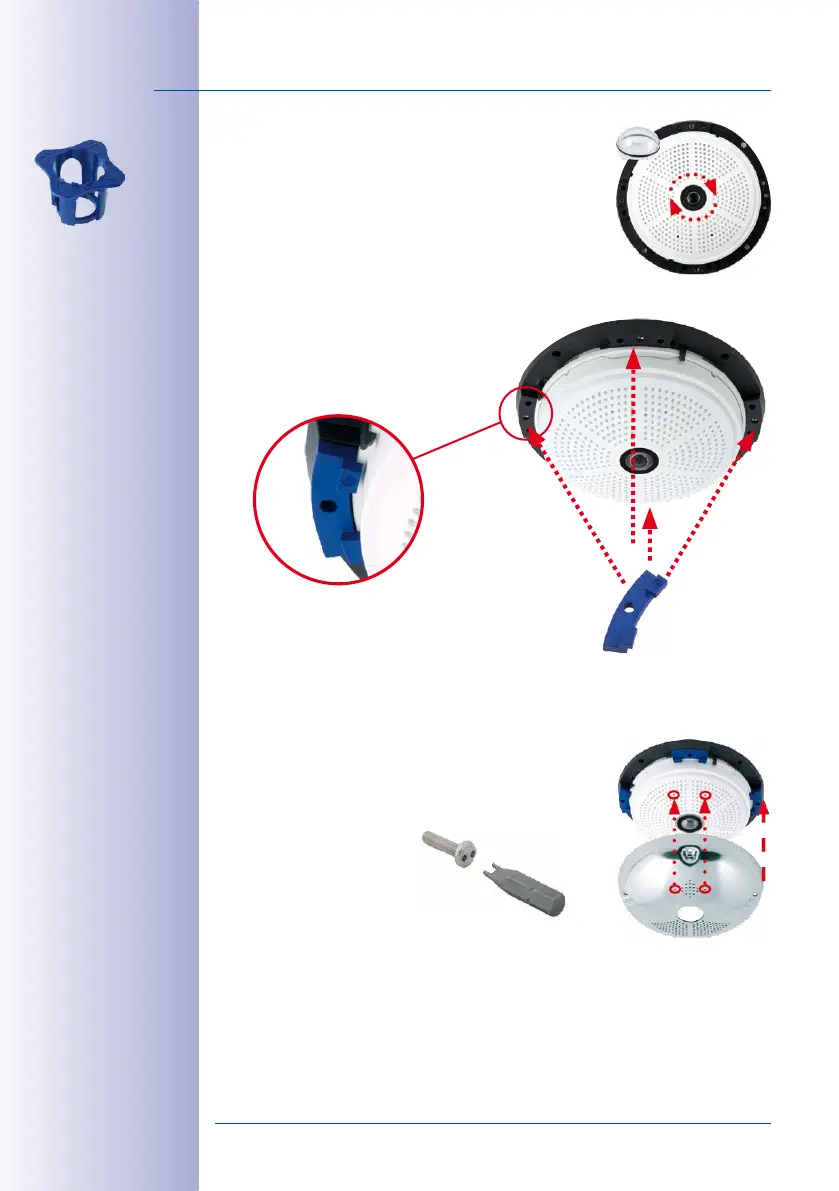
6. Mount the dome: Screw the dome on in a clockwise
direction using the supplied wrench. If required, clean
the dome gently using a soft cotton cloth before com
-
pleting installation. Check the sharpness of the camera
image again, and correct it if necessary.
7. Mount the spacers: Place the four spacers on the
mounting ring.
8. Mount the stainless steel cover: Position the stainless
steel cover as shown and tighten the security screws
using the included two-hole driver bit.
Lens wrench for
installing the dome
4x
Spacers for
Vandalism set
Maximum torque for all
screws is 1 to 1.2 Nm
Security screw and
two-hole driver bit
Stainless steel cover
must be positioned
correctly to line up
with the LED openings



 To Next Page