59/152
Preparing the Installation
© MOBOTIX AG • Security-Vision-Systems • Made in Germany
www.mobotix.com • sales@mobotix.com
2.1.1 Wall-Mounted
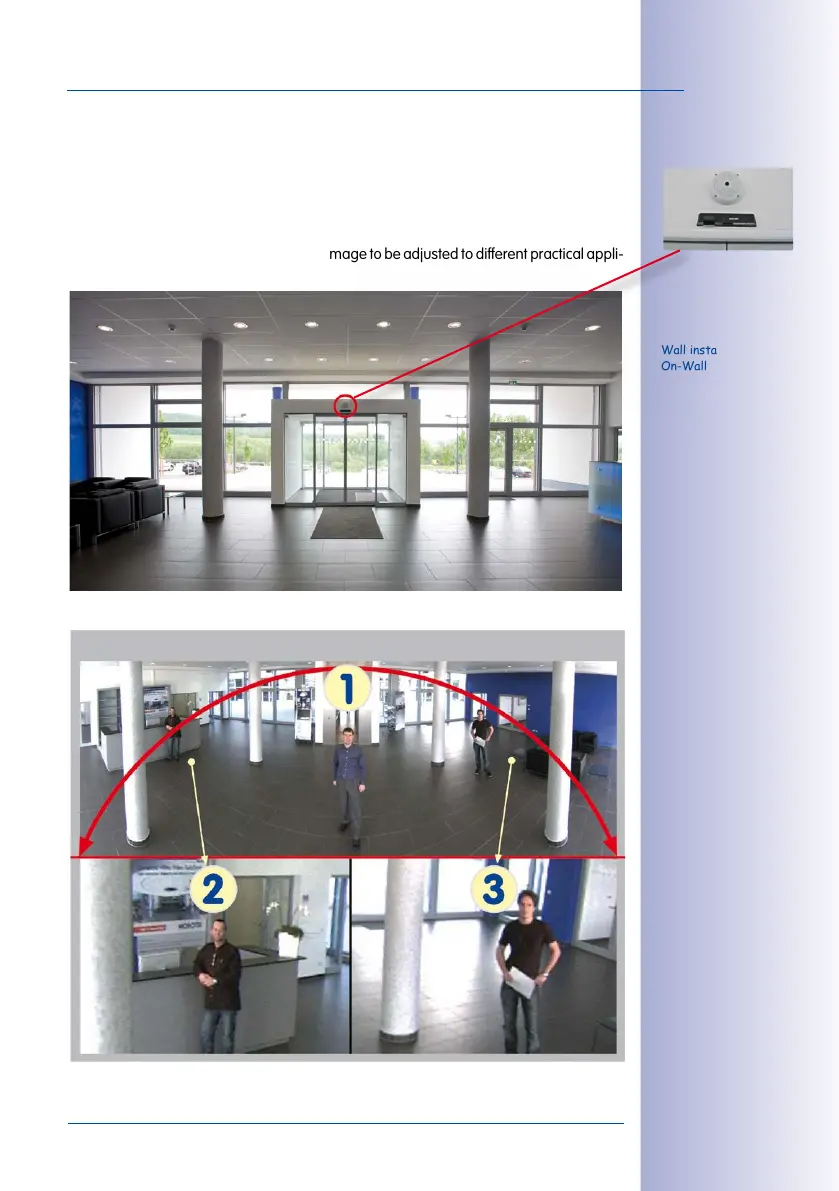
To make optimal use of the high-resolution 180° panorama functionality of the Q25, the
camera must be mounted on an internal or external wall. The entire hemisphere of the
room directly in front of the camera is then eectively monitored, from the wall on the left
of the camera to the wall on the right. Corresponding fine-tuning in the user interface
software allows the displayed panorama image to be adjusted to dierent practical appli
-
cations (see
Section 3.3
).
Wall installation with
On-Wall Set 10°
The camera should
preferably be mounted in
the middle of the room
to be monitored using
the 10° On-Wall Set
Original image from the
camera shown above using
the 10° On-Wall Set
(Panorama Focus View)
The Q25 Panorama: one camera - three simultaneous views
High-resolution 180° panorama
Virtual PTZ 1 Virtual PTZ 2



 To Next Page