EasyManua.ls Logo

Mobvoi TicWatchPro5 - Managing Quick Settings; Editing and Reordering Icons; Indicator Icons Explained

Mobvoi TicWatchPro5
63 pages
Print Icon
To Next Page IconTo Next Page
To Previous Page IconTo Previous Page
Loading...
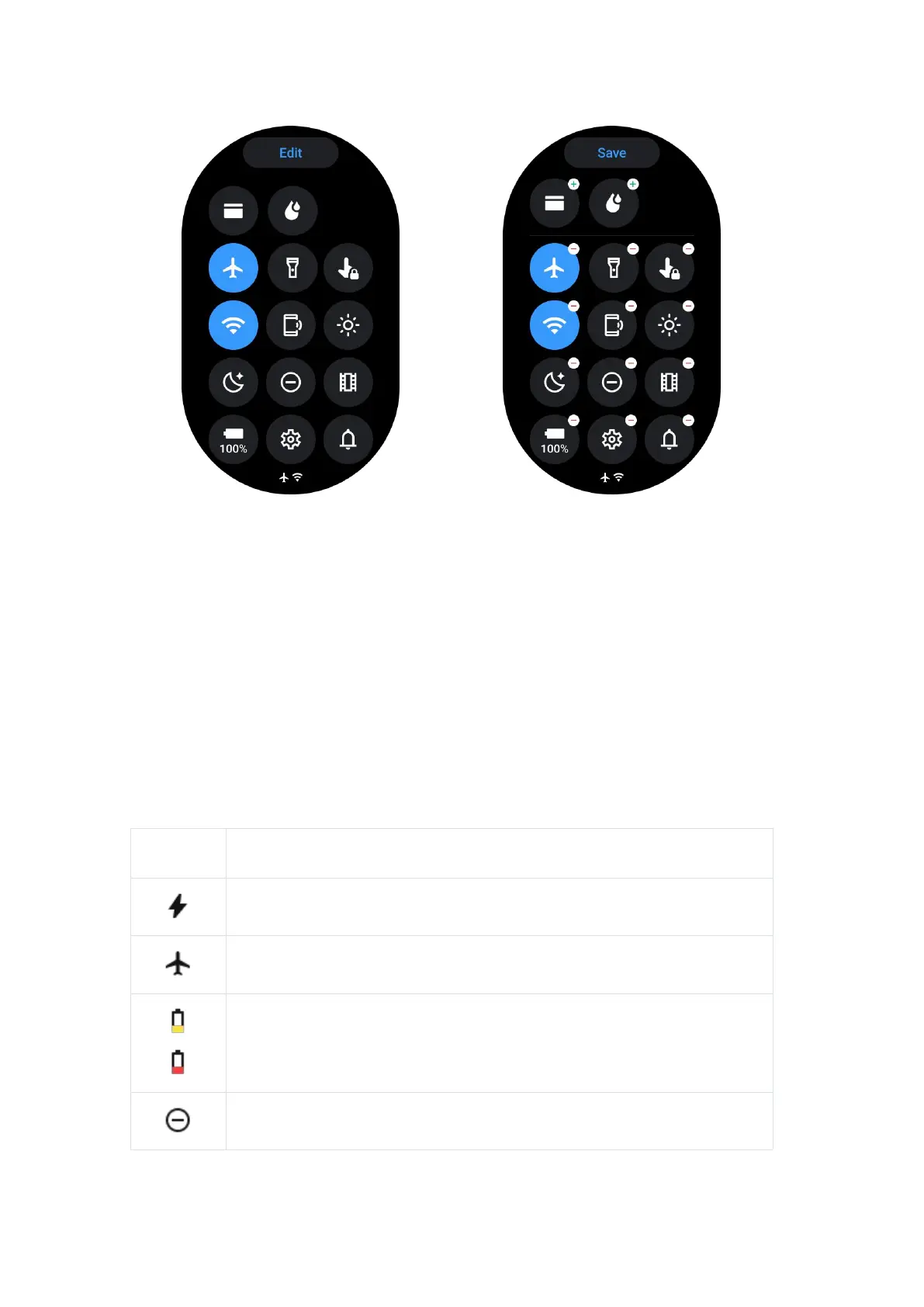
Tap the Edit button to edit quick setting icons.
Tap [+] to add the icons to appear on the QSS tray
Tap [-] to remove from the QSS tray
Tap [Save] to save changes
Re-order setting icons
Hold and drag to reorder the icons
Different indicator icons

Icon
Meaning
Charging
Airplane mode on
Battery low
Do not disturb mode on

Related product manuals