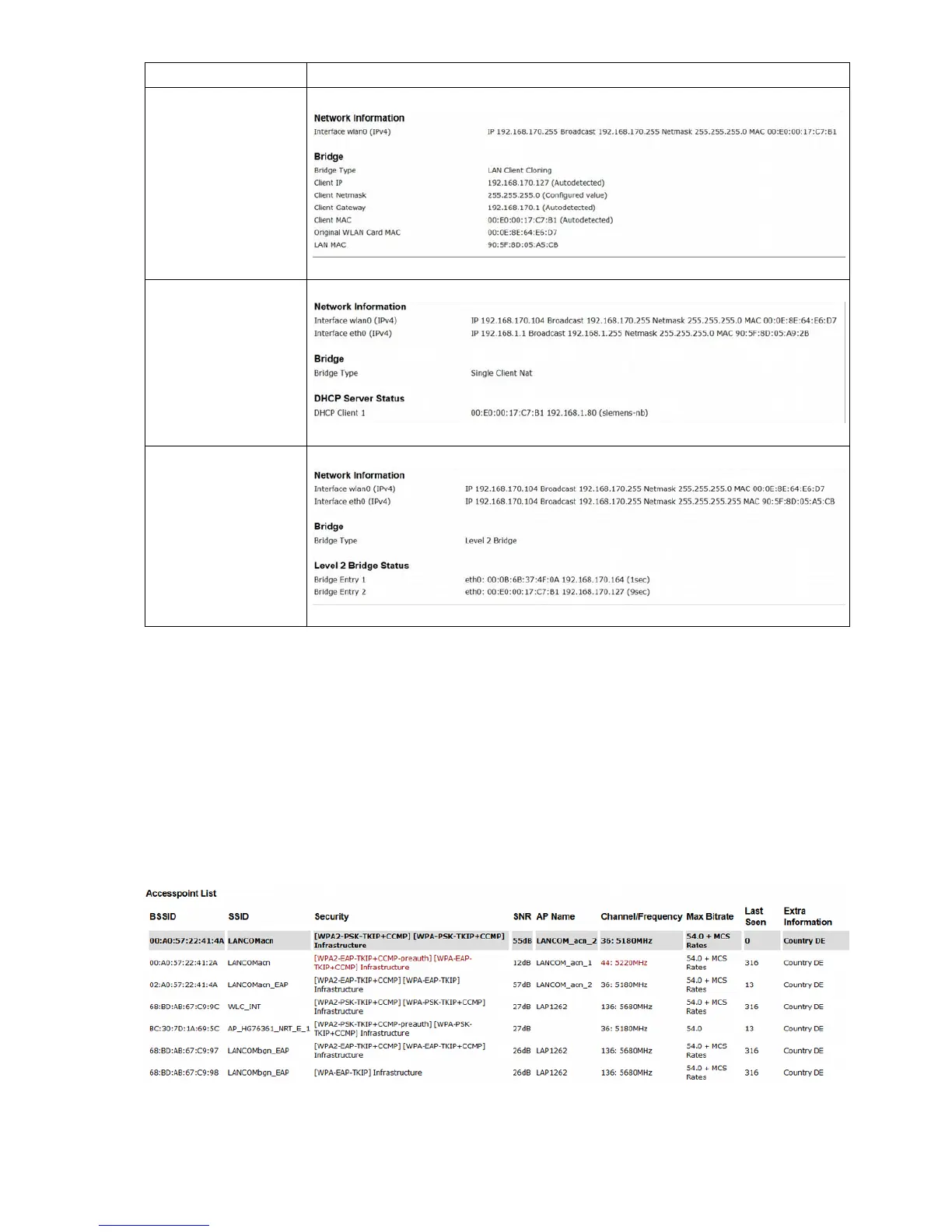
Bridge - Mode Shown Information (for a sample setting)
LAN Client Cloning
NAT
or
Single Client NAT
Level 2 Pseudo-Bridge
Tabelle 8: Network Information
3.1.7 Access point information
In this section a list of all access points that are registered by the MC is displayed. The currently connected
AP is grayed out and is always shown first in the list. The next entries are AP's with matching SSID's
followed by AP's with other or hidden SSID's. The information at „Security“ shows us what authentication
methods are expected by these AP's. If this methods don't match the configured MC authentication method
these info is shown with red letters. The same is for the column „Channel/Frequency“ if the AP is working on
a channel that the MC is currently not supported by configuration (Configuration->Wireless->Roaming ).
MC Manual Version 2.10c



 To Next Page