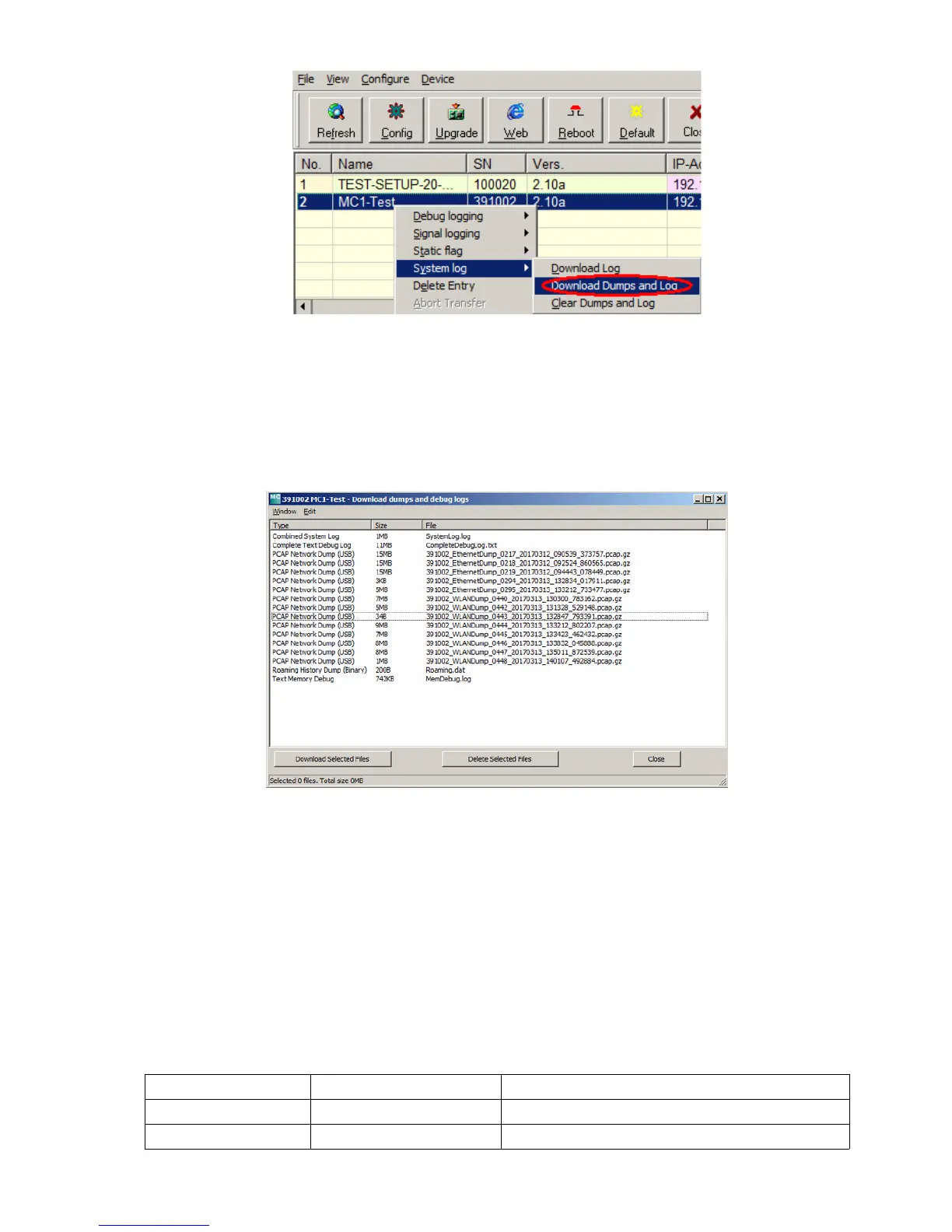
Starting with the MC firmware 2.10b and the MC-Config version 2.0.2.32, a dialog is opened to define the
folder in which the files are saved. Then a dialog opens, where you can select the log and dump files for
downloading. Before opening this dialog, all active dump processes are stopped. The existing pcap files are
compressed. This process may take some time. This status is displayed in the "Status" column of the MC-
Config-Program.
The following dialog is then displayed:
This selection always shows the file "SystemLog.log" which contains many information about the current
status of the MC with the last system messages and the current configuration data.
This file is always important when it comes to the analysis of error situations.
The file "CompleteDebugLog.txt" contains the system messages, which have been created during the
operation depending on the settings made under "Logging". This file is filled up to a length of 16MByte.
When this size is reached, it is renamed "CompleteOldDebugLog.txt". An existing
"CompleteOldDebugLog.txt" file will be deleted before. Further system messages are then written to a newly
created "CompleteDebugLog.txt".
The dump files are listed in the order they were written. First the LAN dump files then the WLAN dump files.
If a time server (-> "Realtime Clock") could be used, the file names of the dump files, the date and the time of
the start time appear. This is very helpful, if you know the time of an error, you can determine the dump files,
which could have documented this error more accurately.
The file name is composed as follows:
element meaning note
nnnnn_ Serial-No. of the MC device
WLAN(Ethernet)Dump
MC Manual Version 2.10c



 To Next Page