event. This greatly reduces the amount of data stored. Each 1000 data packets before and 1000 data
packets are stored in a file after the event.
The following events trigger this function:
• Roaming
• WLAN Disconnects
• Pingtest Timeouts
With "Dump Control" you can adjust what happens when the storage limit of the internal flash or USB
memory is reached.
- The recording is stopped
- The oldest recording is deleted and the recording is continued with a new file.
If the current recording file reaches a size of 32 MByte it is closed and a new file is opened. The stored file is
then compressed and written as * .gz file into the file system, the original file is then deleted. Depending on
the data compression rate, data traffic can be logged over a long period of time.
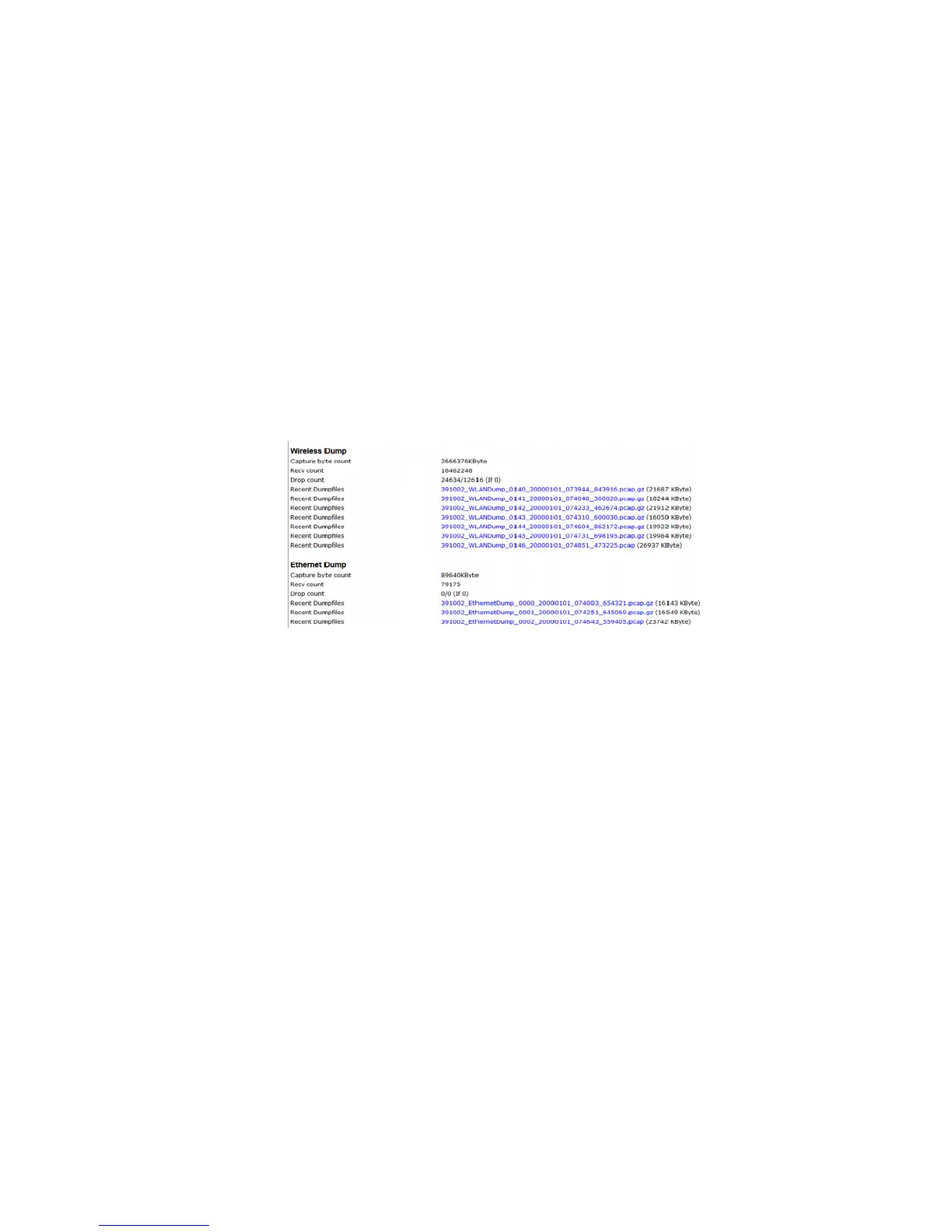
The compressed files can then be downloaded from the "Home" web page of the MC. The list of dump files
is located at the end of the "Home" page below the list of access points.
Additional information is given as to how many bytes and data packets are stored in the current dump. For
this, there is also information about the number of data packets that have been discarded (drop count).
The file names can be clicked and downloaded.
Remark:
This type of recording on the interfaces keeps the system busy and should only be activated for fault
diagnosis. This feature should be disabled in productive use. The dump files can be deleted using the
function "Statistics -> SystemLog -> Reset System Log".
Caution: Only if the dump function is disabled all Dump files will be deleted.
Anmerkung:
Diese Art des Mitschneidens des Datenverkehrs auf den Schnittstellen beansprucht das System erheblich
und sollte nur zur Fehlerdiagnose aktiviert werden. Im produktiven Einsatz sollte diese Funktion
deaktiviert sein. Die Dump-Dateien können über die Funktion: „Statistics -> SystemLog -> Reset System
Log“ gelöscht werden. Es werden dabei aber nur die Dump-Dateien im „internal Flash“ gelöscht.
Achtung: nur wenn bei der Ausführung des Löschbefehls die Dump-Funktion abgeschaltet ist, werden alle
vorhandenen Dump-Dateien gelöscht.
6.2.1 Download the debug files with the MC-Config program
In order to download all log files in one process from the MC, you can select the following command in the
MC-Config program via the context menu (right-click MC) as follows:
MC Manual Version 2.10c



 To Next Page