03/05 AWB2724-1453G
Procedure
49
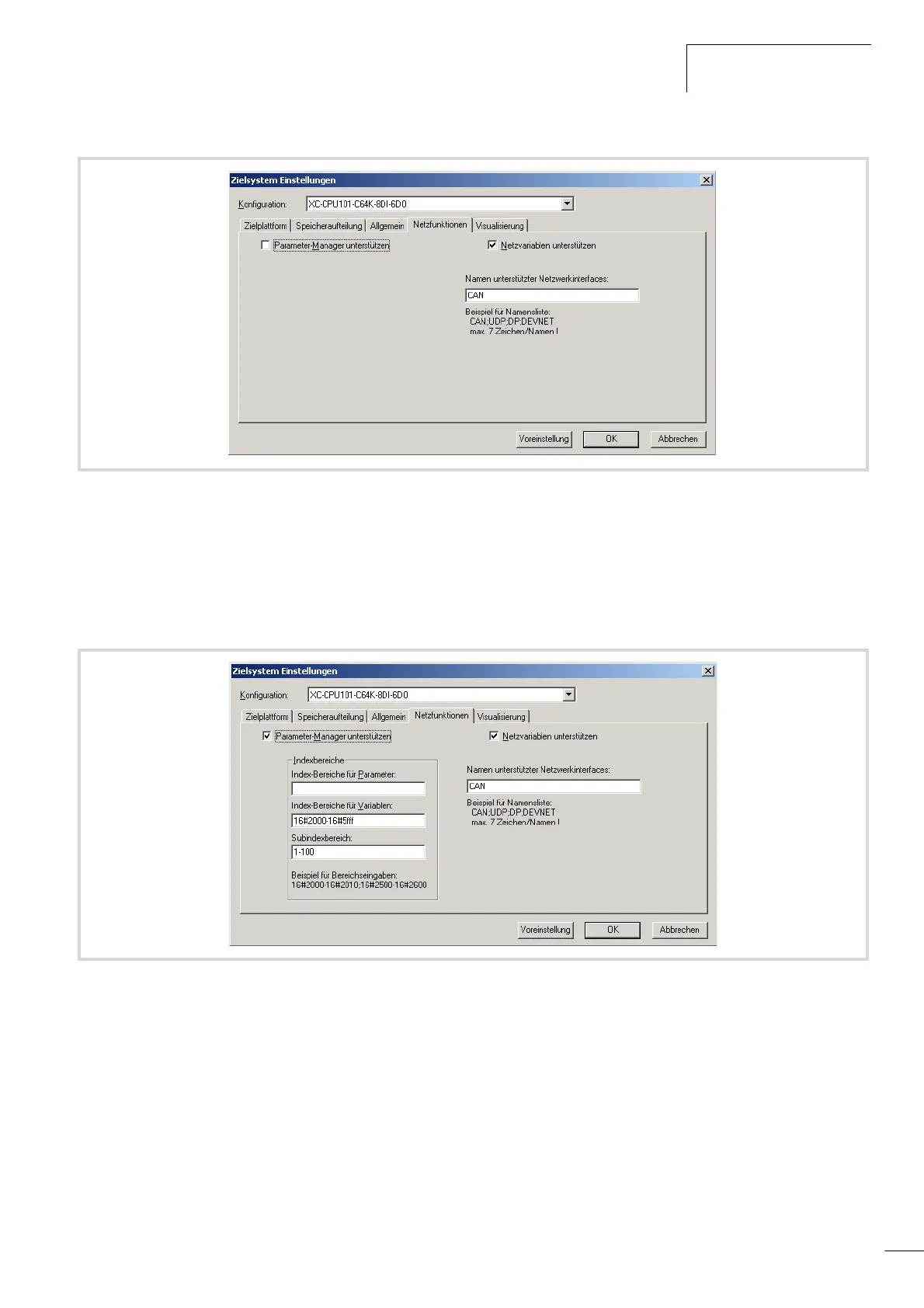
X Activate the “Support parameter manager” check box in order
to view additional information concerning the index ranges.
The CAN relevant Parameter manager is only required for a CAN
device. Standard settings are available for this purpose, which
means that no modifications must be made.
X Close this selection with “OK”.
X Select the POU type “Program” and the programming language
“IL”:
Figure 63: Target system settings – CAN network functions (1)
Figure 64: Target system settings – CAN network functions (2)


 To Next Page
 Loading...