EasyManua.ls Logo

Molbio Trueprep AUTO - Errors, Alerts, and Maintenance; Error Messages and Solutions

Molbio Trueprep AUTO
20 pages
Print Icon
To Next Page IconTo Next Page
To Previous Page IconTo Previous Page
Loading...
DIAGNOSTICS
12
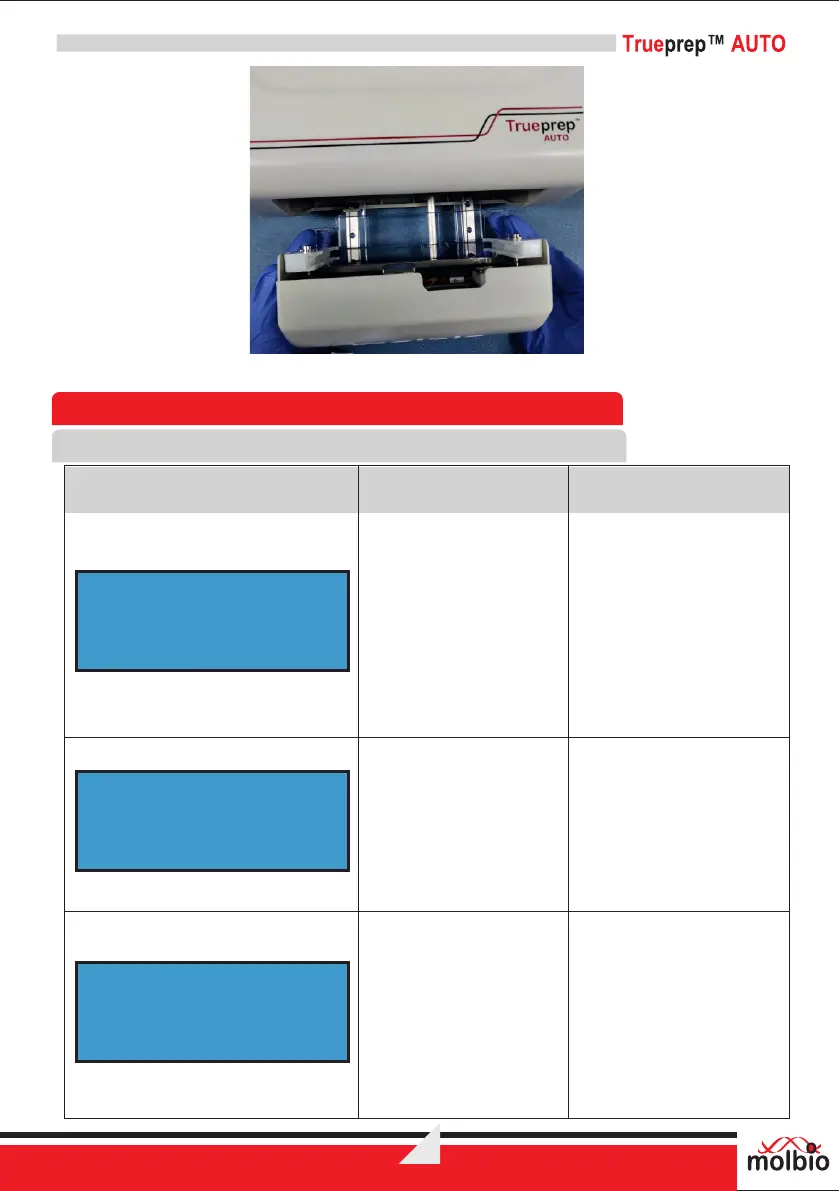
Figure 13: Replacement of discarded Replaceable tray and Rail guards with new
8 Errors, Alerts and Maintenance
8.1 Error Messages
The Screen displays the
error message
“Cartridge Not Loaded”
Reason:
No cartridge is inserted or
cartridge orientation is
wrong.
Solution:
Please ensure cartridge is
loaded and is in the
correct orientation.
The Screen displays the
error message “VALVE
ERROR”
Reason:
Cartridge valve are
damaged.
Solution:
Please start afresh with a
new cartridge
The Screen displays the
error message
“CARTRIDGE
CLOGGED
PRESS EJECT”
Reason:
The cartridge is clogged
because the specimen
used is too thick.
Solution:
Please start with a new
cartridge. In case the
Problem persists contact
Molbio support.
Error Message
Description
Reason for Error
and Solution
CARTRIDGE NOT
LOADED
VALVE ERROR
CARTRIDGE CLOGGED
PRESS EJECT

Related product manuals